Mike Cvetanovich

Mike Cvetanovich

Portfolio: Adventures With Microsoft Power Platform

Microsoft Power Platform engineer with 10+ years of development experience, specializing in Higher Education, and GCC (Gov) environments for federal contracts. Proven expertise in Power Apps, Power Automate, Power BI Reporting, Dataverse, and governance architecture, including DLP policies, ALM processes, environment strategy, and compliance automation. Skilled at translating complex operational needs into automated reporting solutions, actionable dashboards, and sustainable platform governance. Adept at bridging technical execution with stakeholder communication across IT, leadership, and cross-functional teams.
Portfolio
University of Virginia
Housing & Residence Life — Business Applications & Report Developer
FM Inspection App
Canvas App + SQL Server
Facilities Management Inspection App
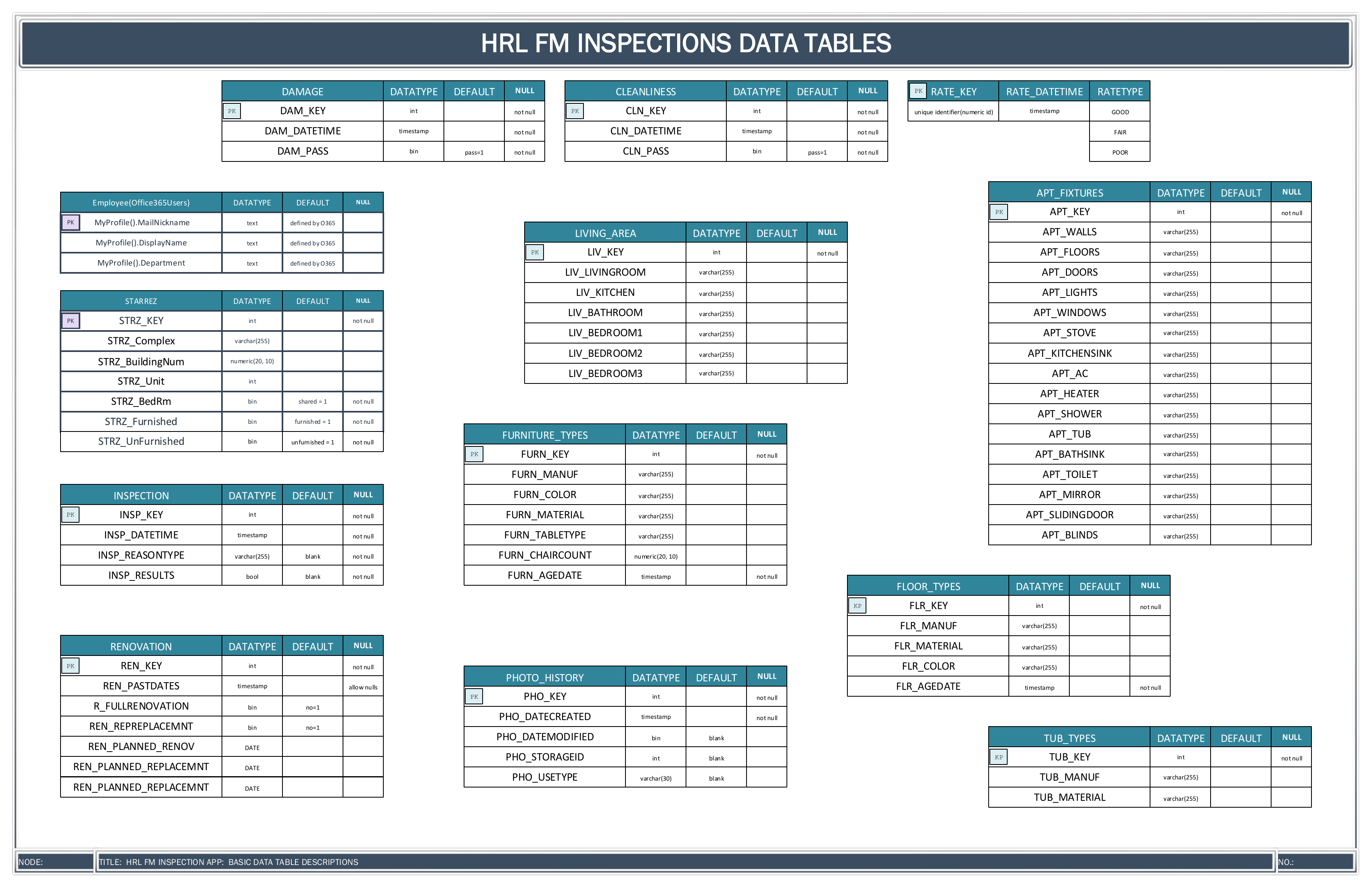
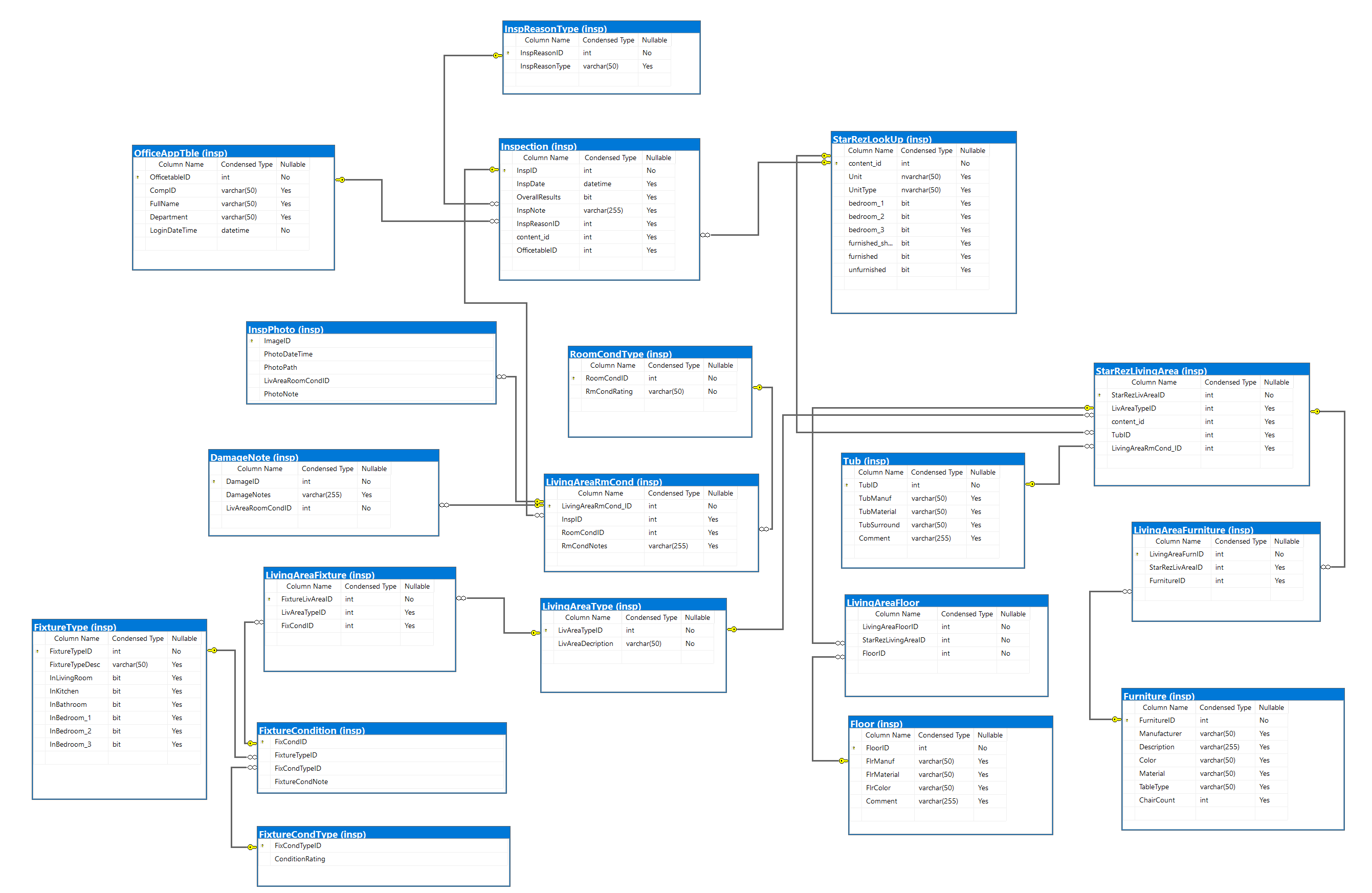
Full-stack Canvas App backed by a normalized SQL Server database with 30+ tables, stored procedures, and referential constraints for inspecting university housing.
Canvas AppsPower FXSQL ServerStored ProceduresDataverse
The Challenge
UVA's Housing Facilities Management needed a way to conduct detailed inspections of dorm rooms, bathrooms, kitchens, and common areas — tracking fixtures, furniture, flooring, and room conditions across thousands of living spaces with full audit trails.
My Solution
Designed and built a relational database schema (insp schema) with tables for every inspection component — bathrooms (shower, tub, vanity, sink, mirror, exhaust, accessories), kitchens, flooring, furniture, and room conditions. Canvas App front-end uses dynamic form modes, "Same Floor Throughout" logic, and collection-based caching for performance.
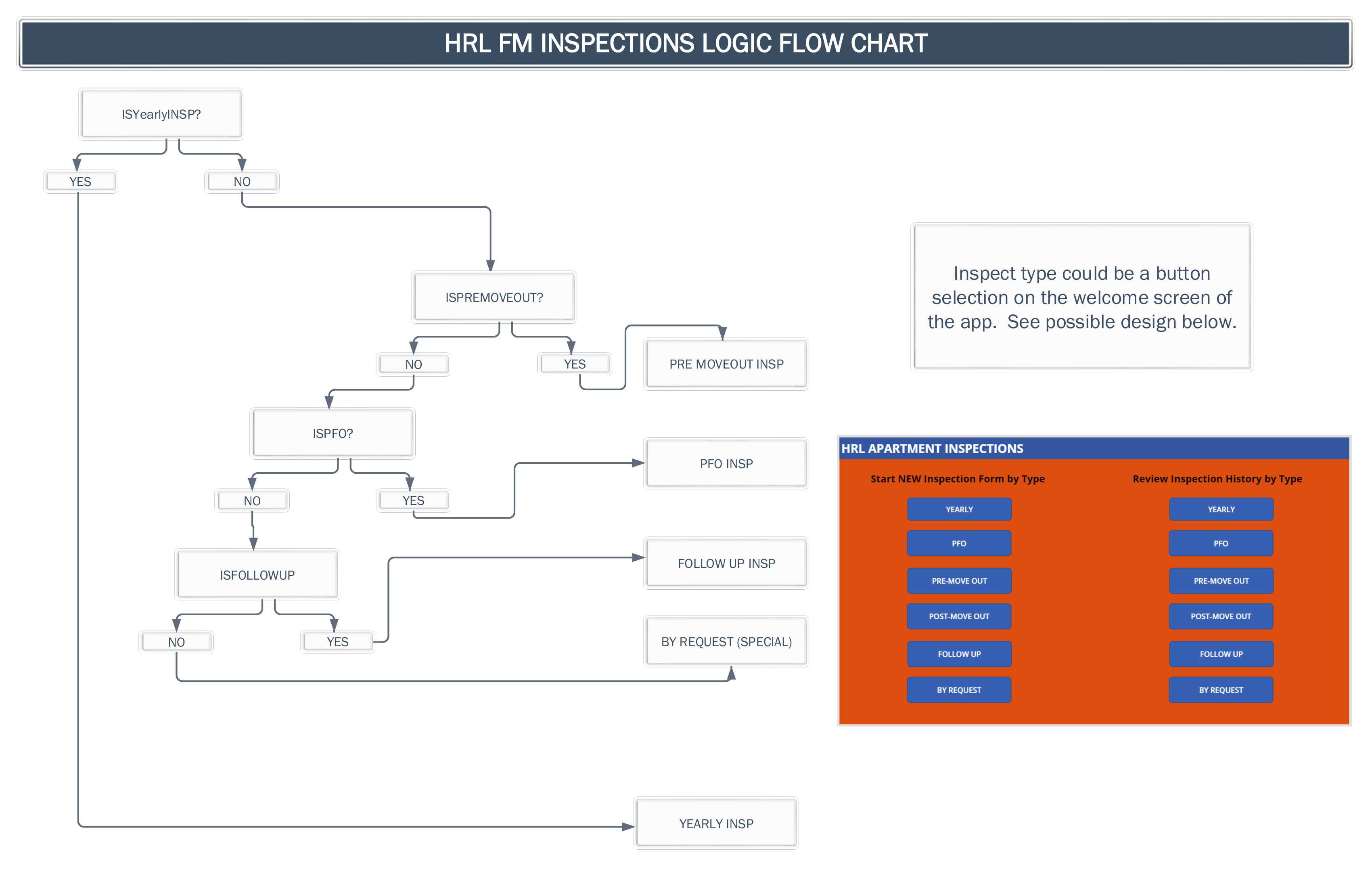
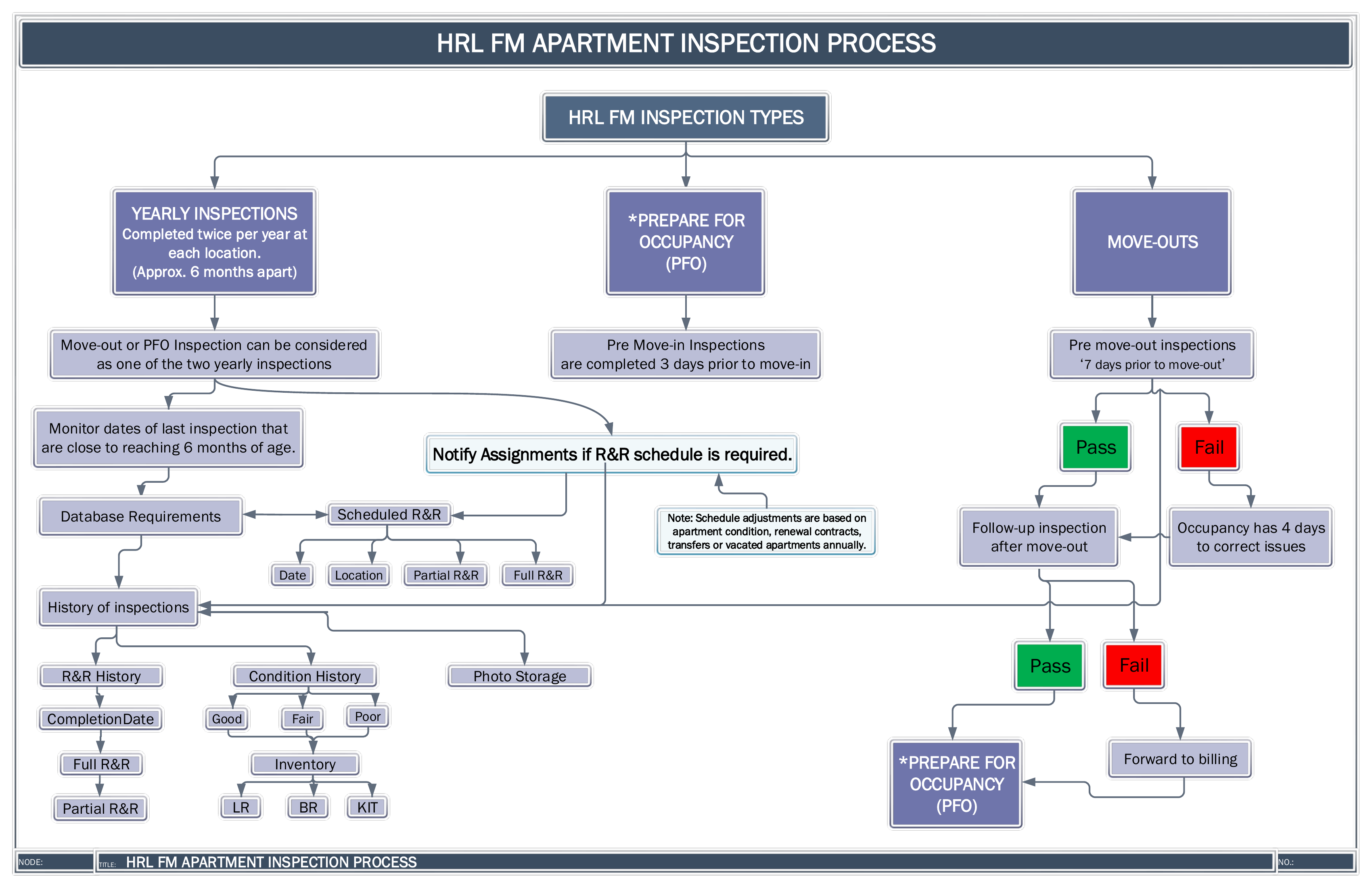
Inspection Process, Logic Flow & Data Tables
HRL FM Apartment Inspection Process HRL FM Inspections Logic Flow Chart HRL FM Inspections Data Tables
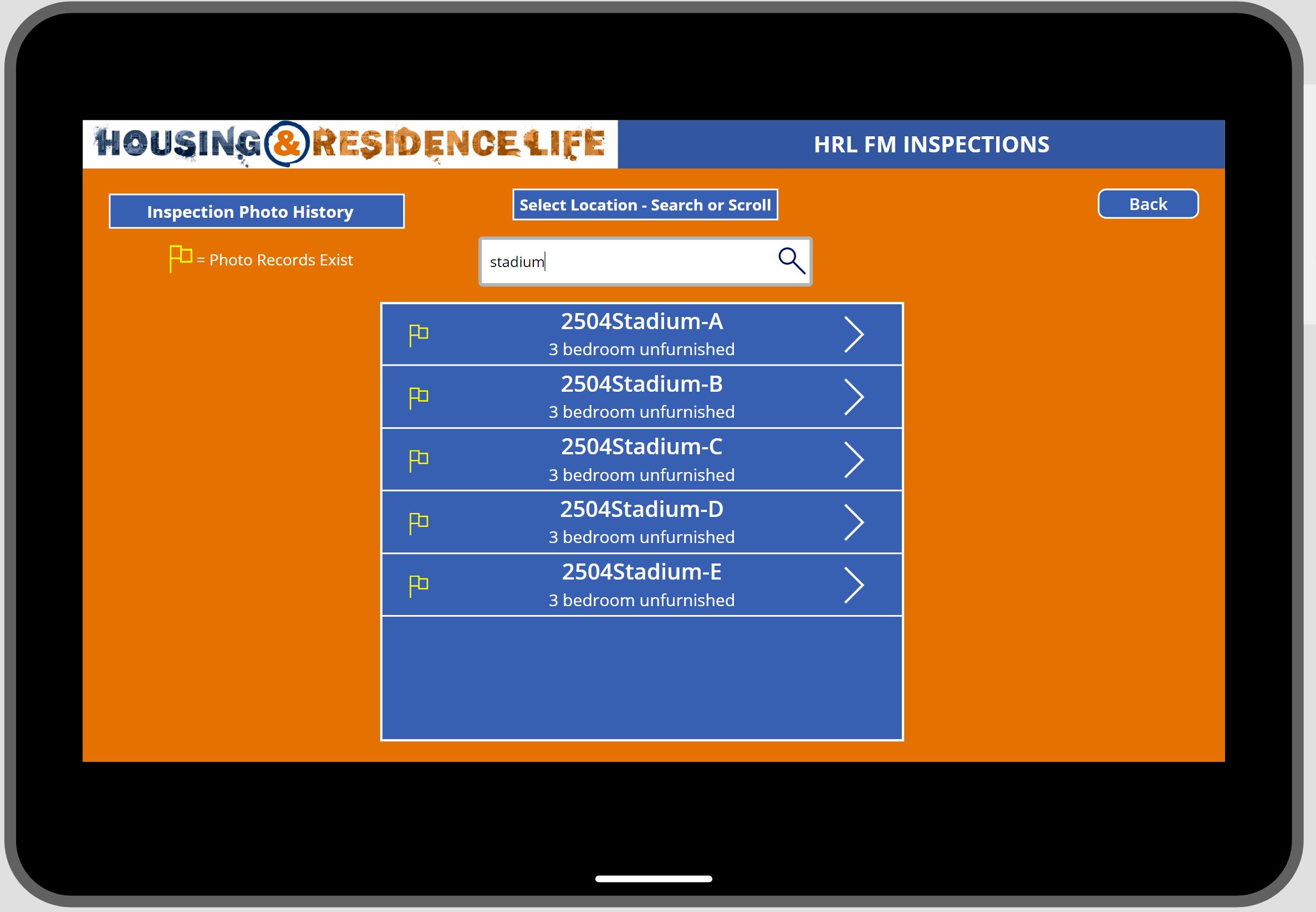
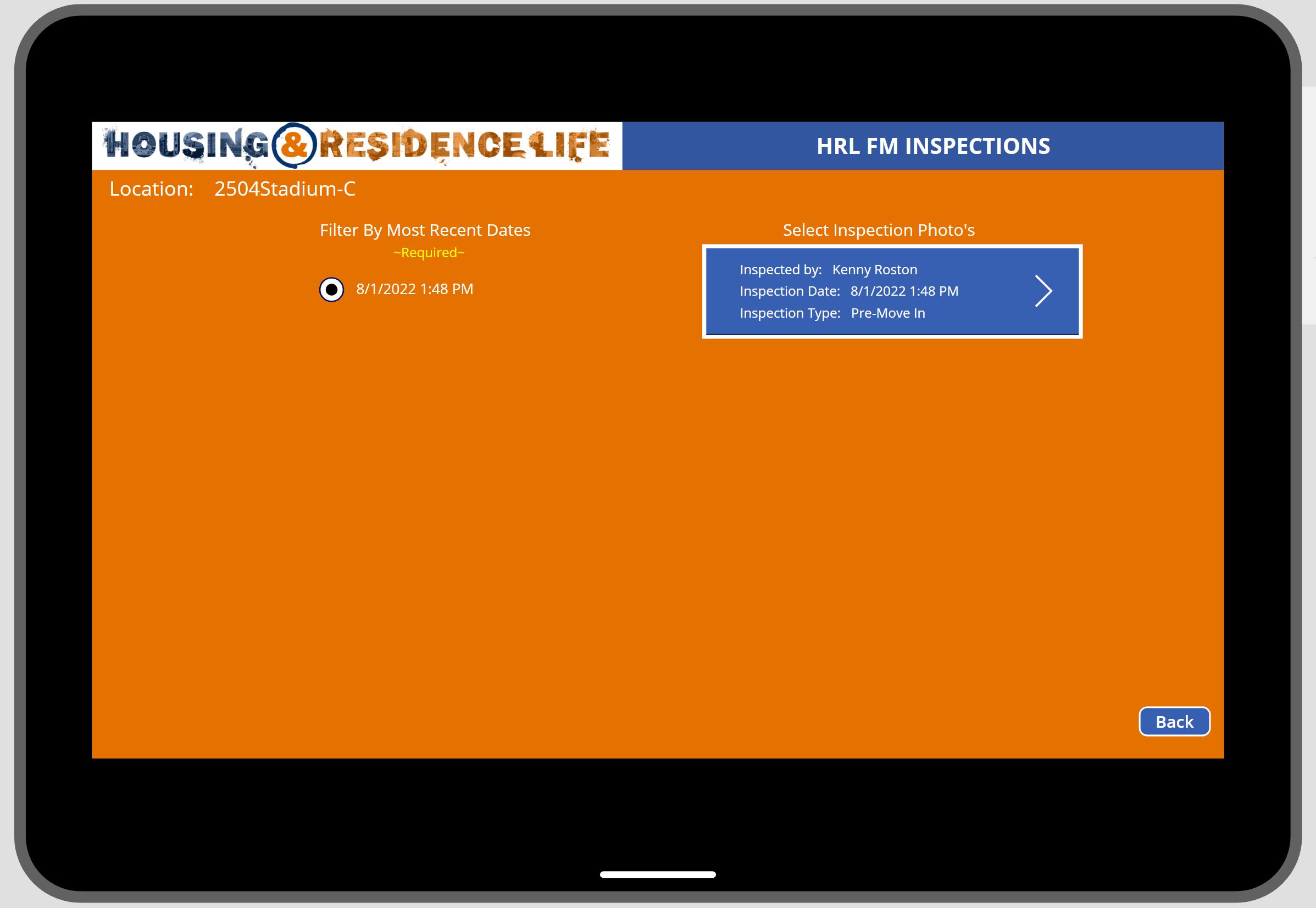
Inspection Photo History
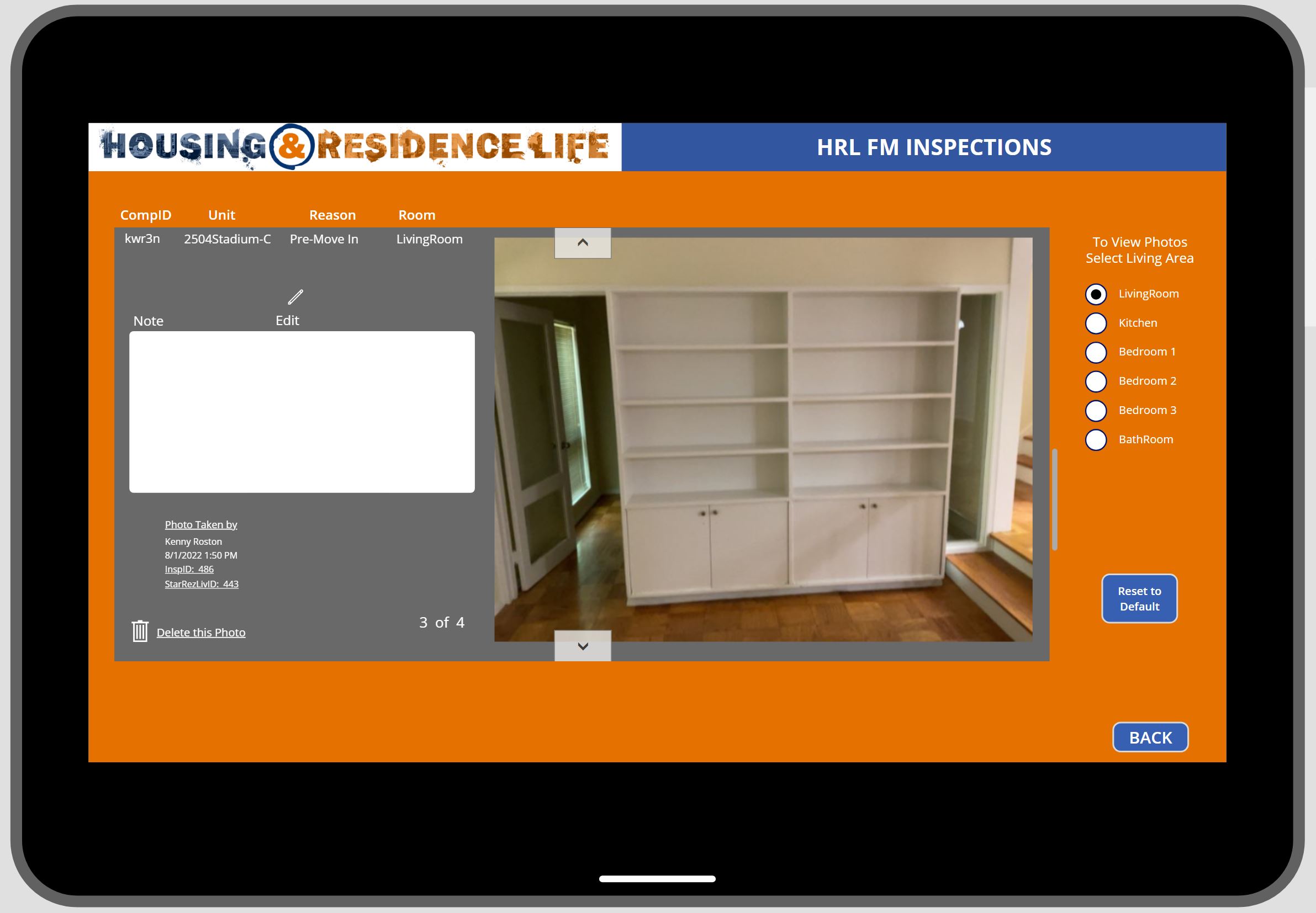
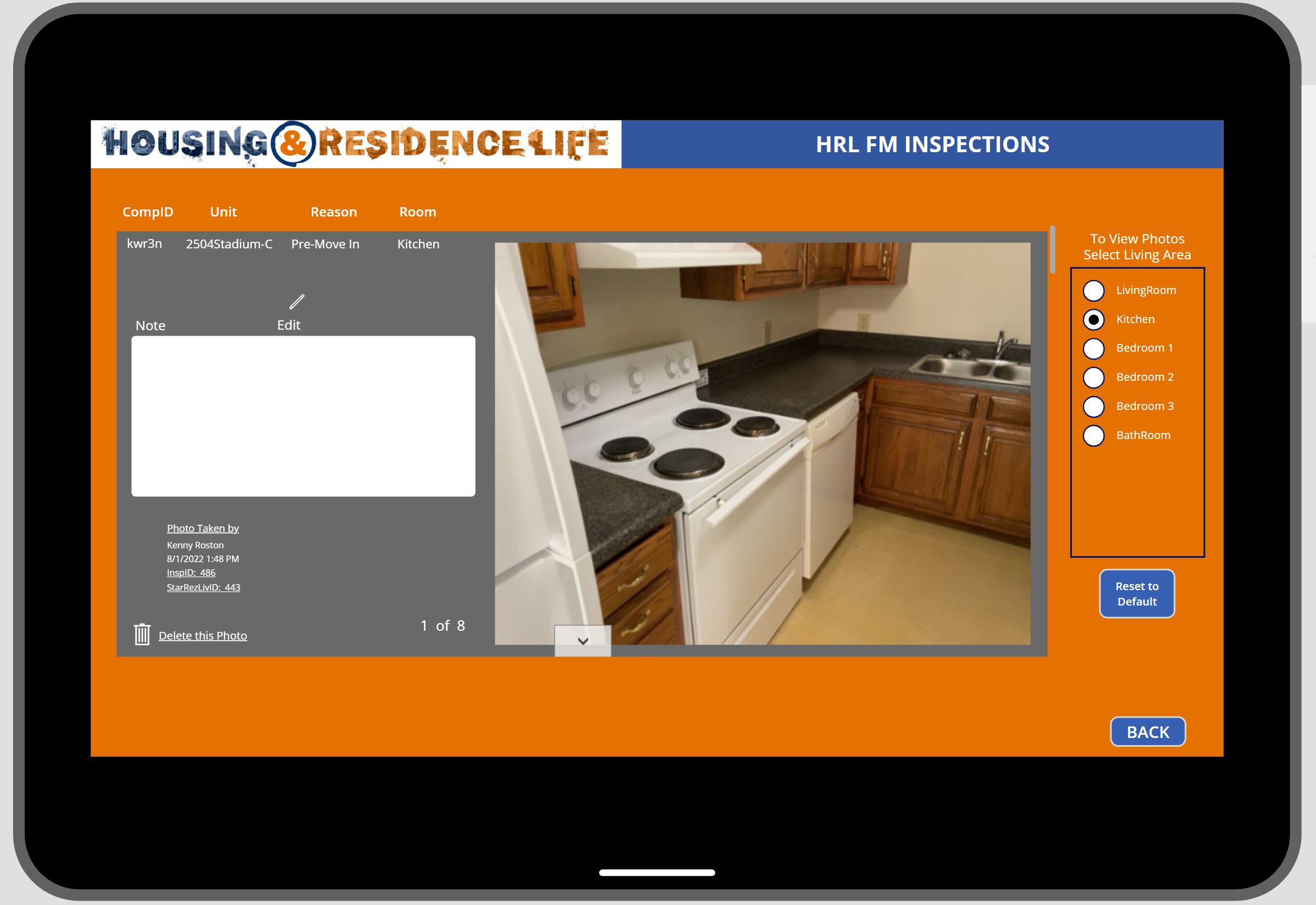
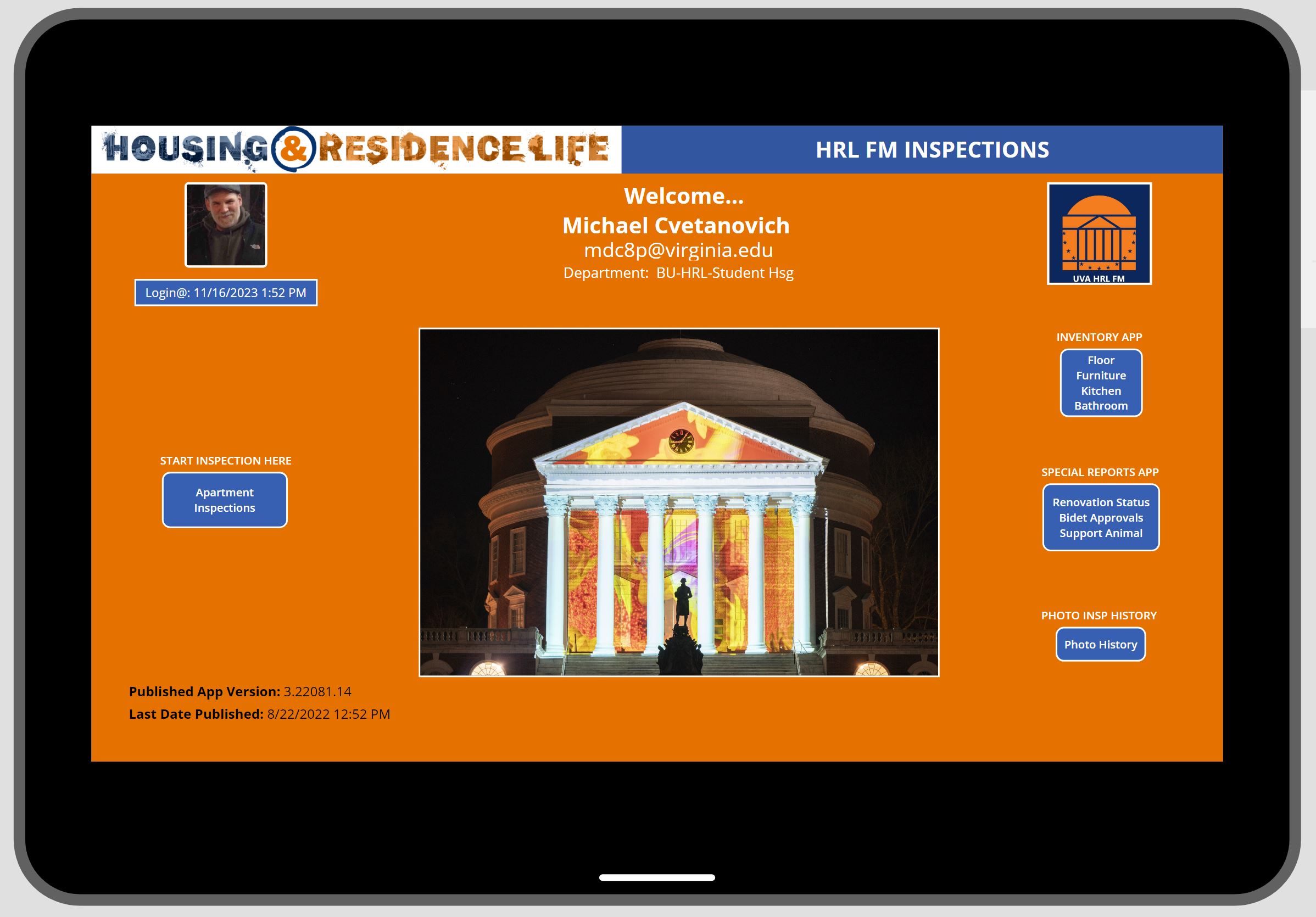
FM Inspection App Welcome Page Photo History Building Search Select Available Photo History Photo History By Room Photo History Kitchen Example
SQL Schema Data Model & Power App Studio Views
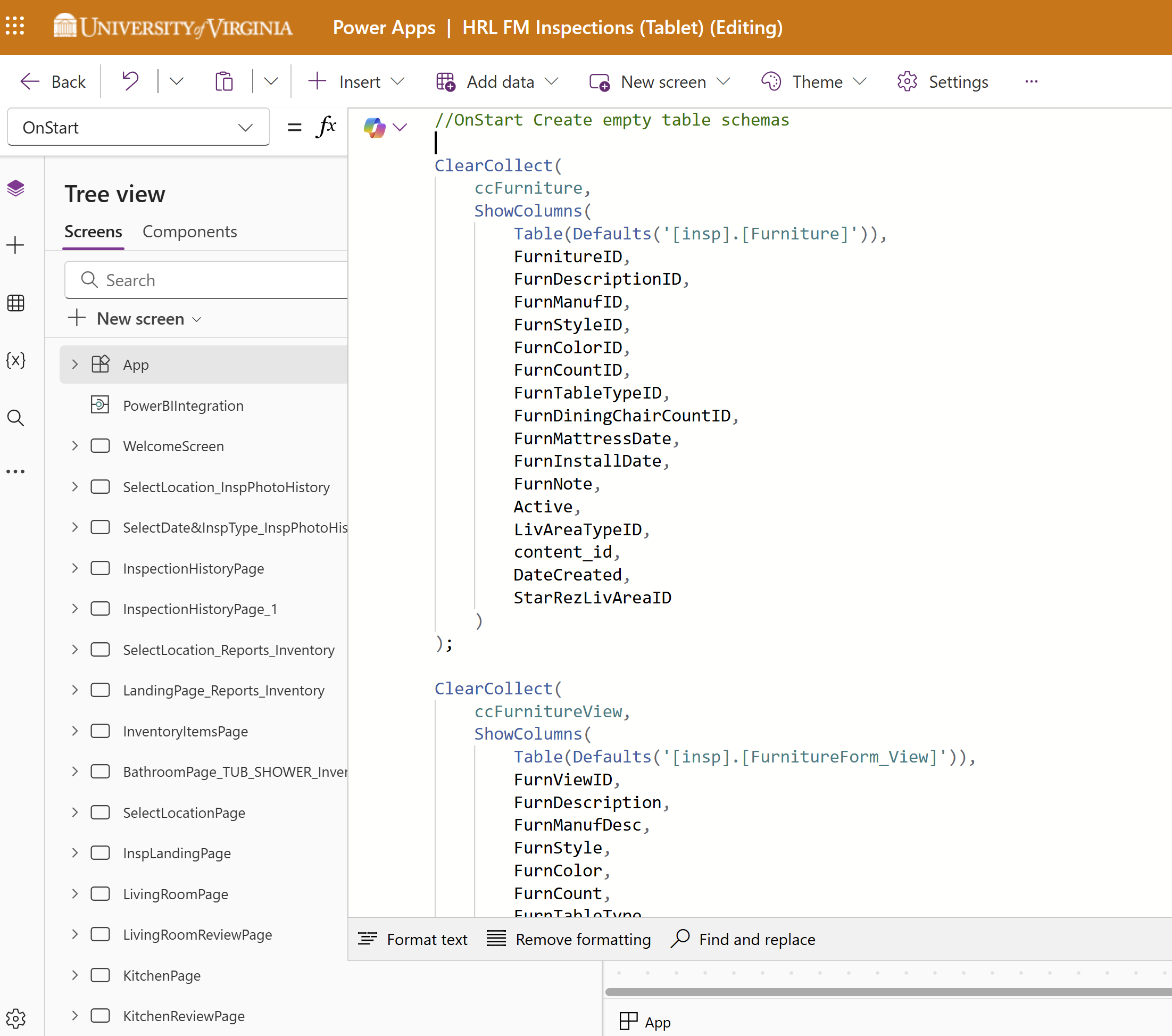
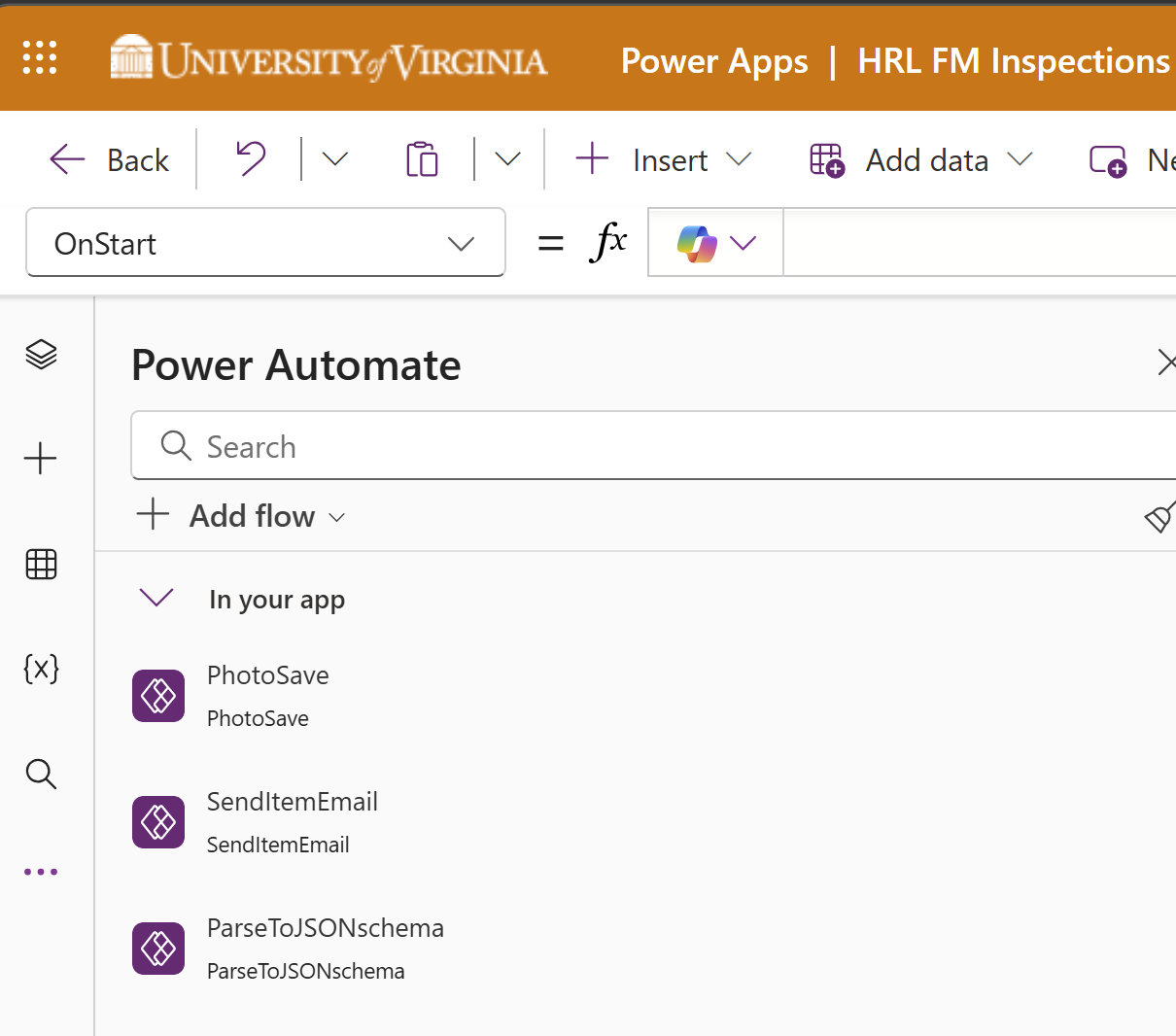
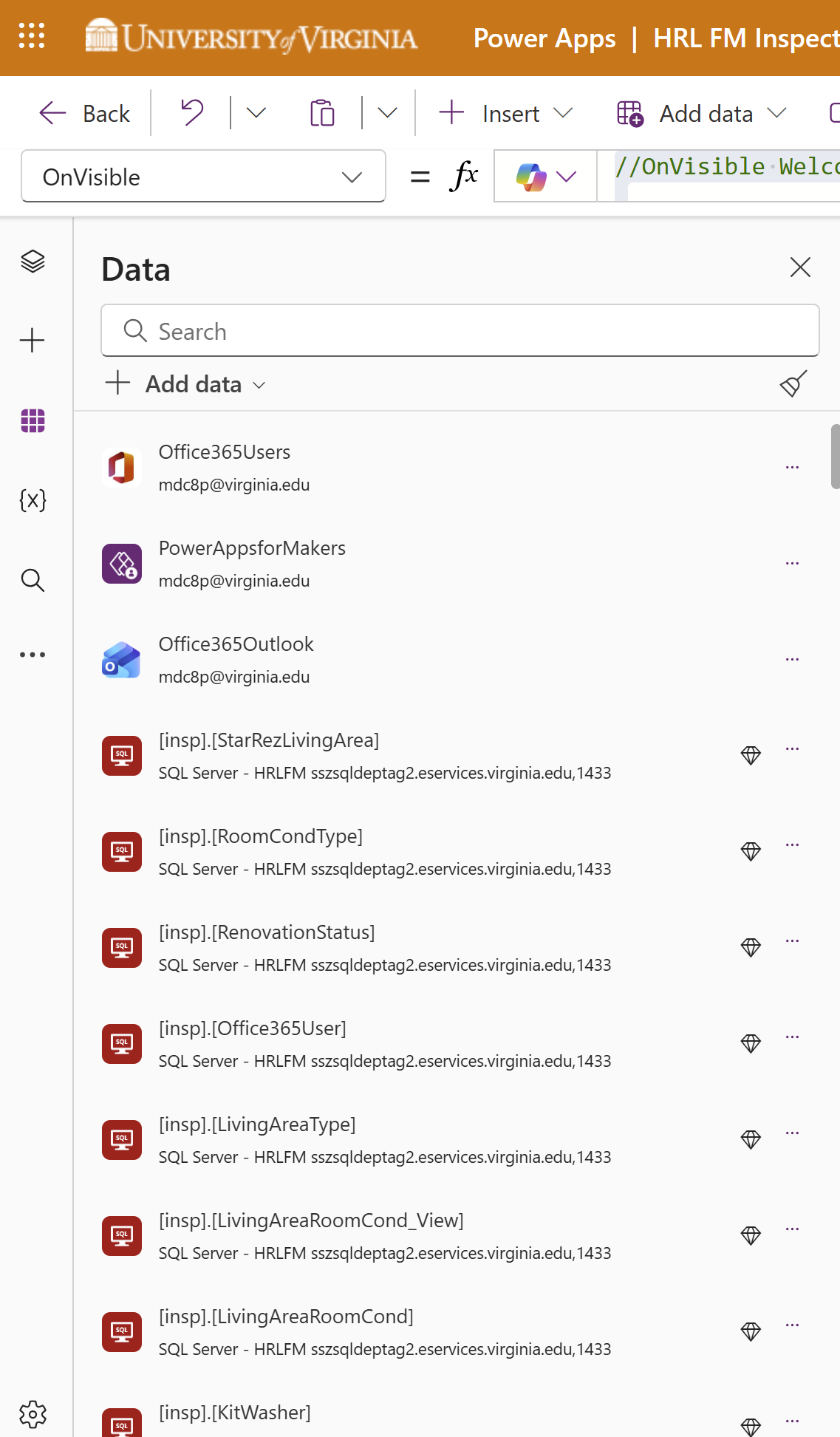
Data Model Schema OnStart and Tree View Flows Connections
Power FX Sample Source Code
Inspection App Video Tour
RA Events
Canvas App + Power Automate + Power BI
RA Program Event Tracker
End-to-end solution for Resident Advisors to submit, approve, and track program events through a multi-stage workflow integrating Canvas Apps, Power Automate, SharePoint, Microsoft Planner, and Graph API.
Canvas AppsPower AutomatePower BIGraph APIPlannerSharePoint
Workflow
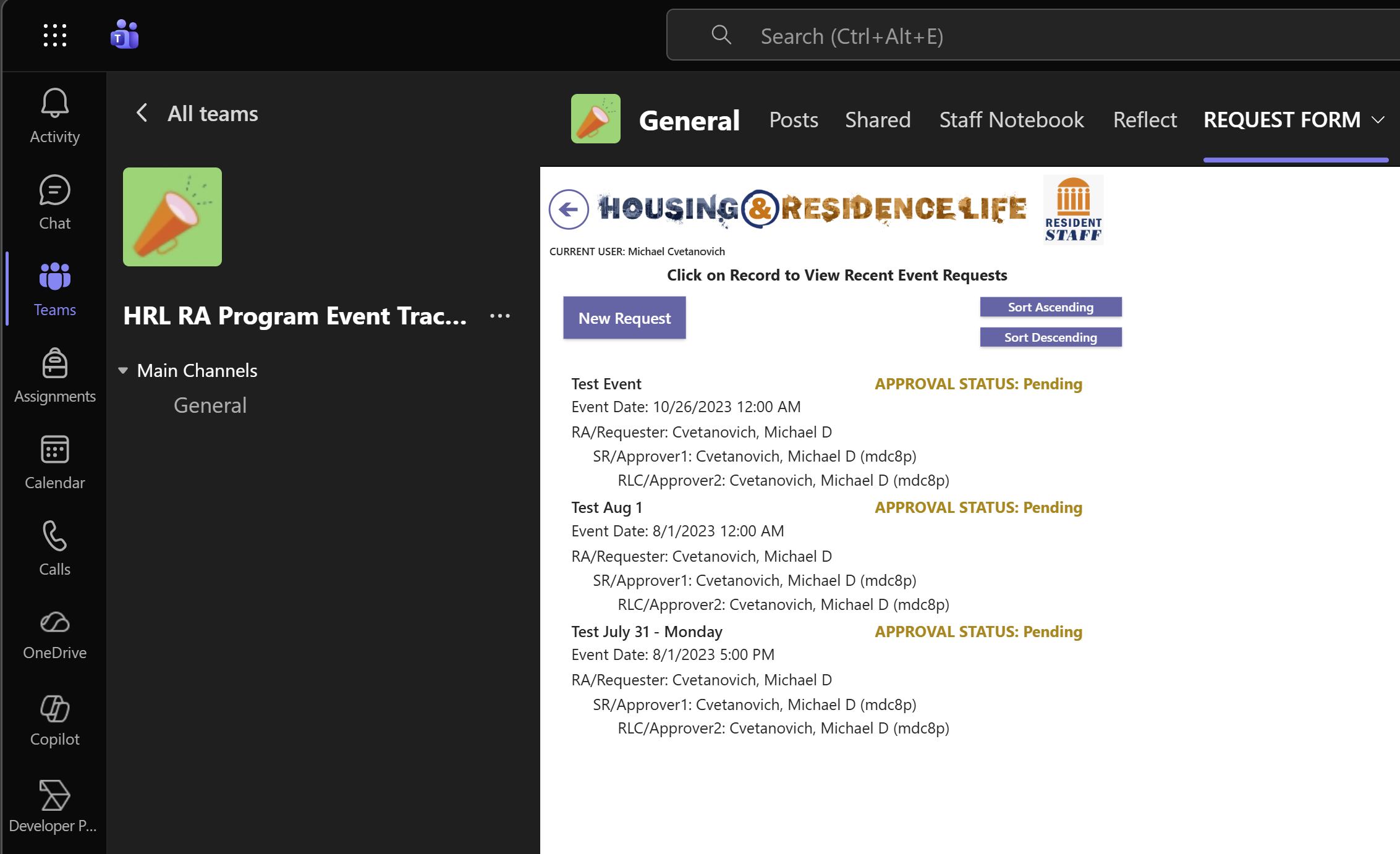
1. RA opens the Request Form tab in Teams and enters their CompID — the app queries StarRez via API to auto-populate the approval chain (Senior Resident → Resident Life Coordinator). 2. RA fills out the event request (name, dates, building, learning goals, estimated cost) and submits. 3. The SR receives an approval request via Teams chat and email with a link to the full SharePoint record. 4. Upon SR approval, a second approval triggers automatically to the RLC for final sign-off. 5. Final approval creates a Planner task (with bucket, priority, and due date), adds it to the RA's Outlook To-Do list, and enables email notifications for late/upcoming tasks. 6. Events are viewable in Schedule, Board, and List views within the Teams channel.
App Screenshots
Welcome Page Program Event App Past Event View Dynamic HTML Table
Approval Flow
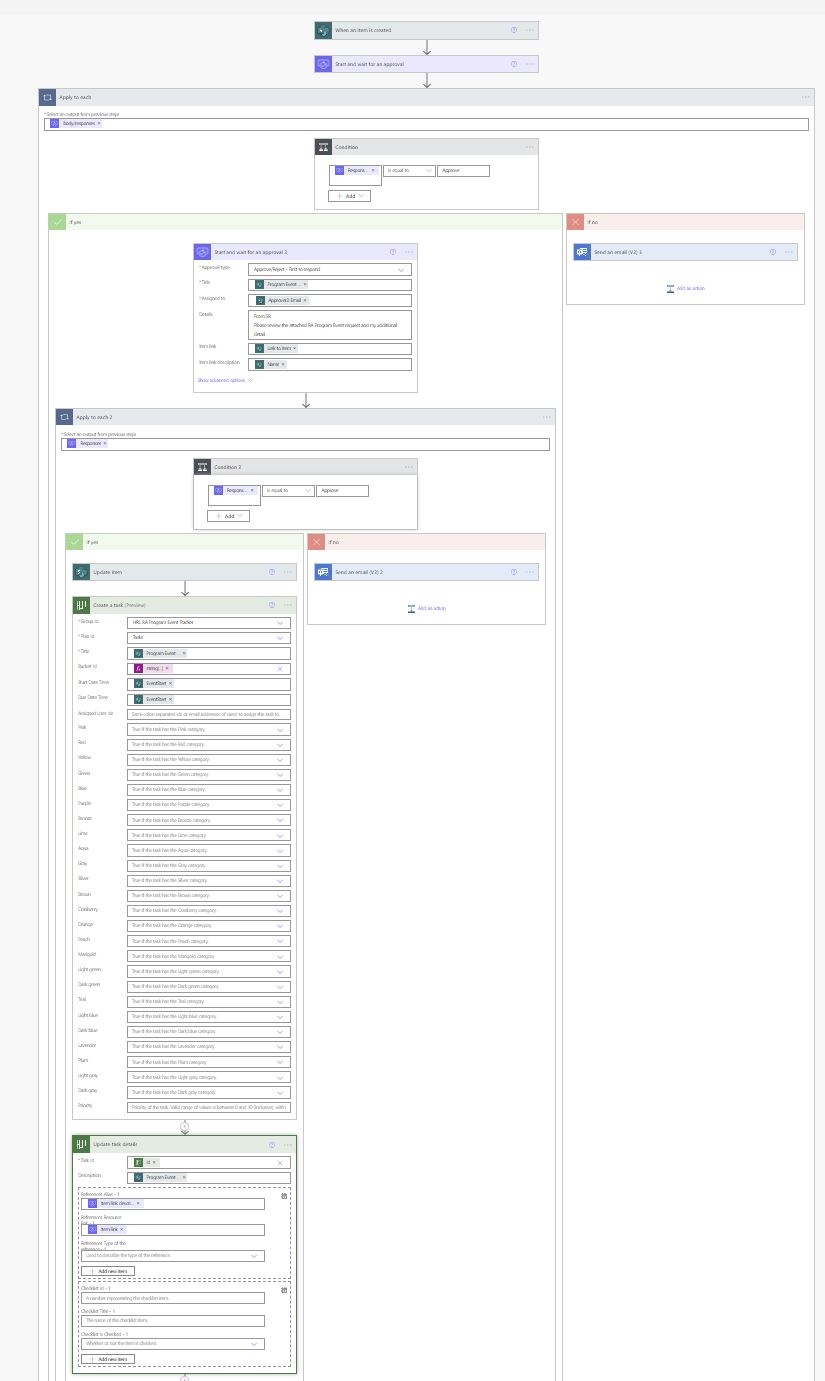
Power Automate Approval Flow
Flow Test Demo
RA Room Inspection
Canvas App + SharePoint + Power BI
RA Room Inspection App
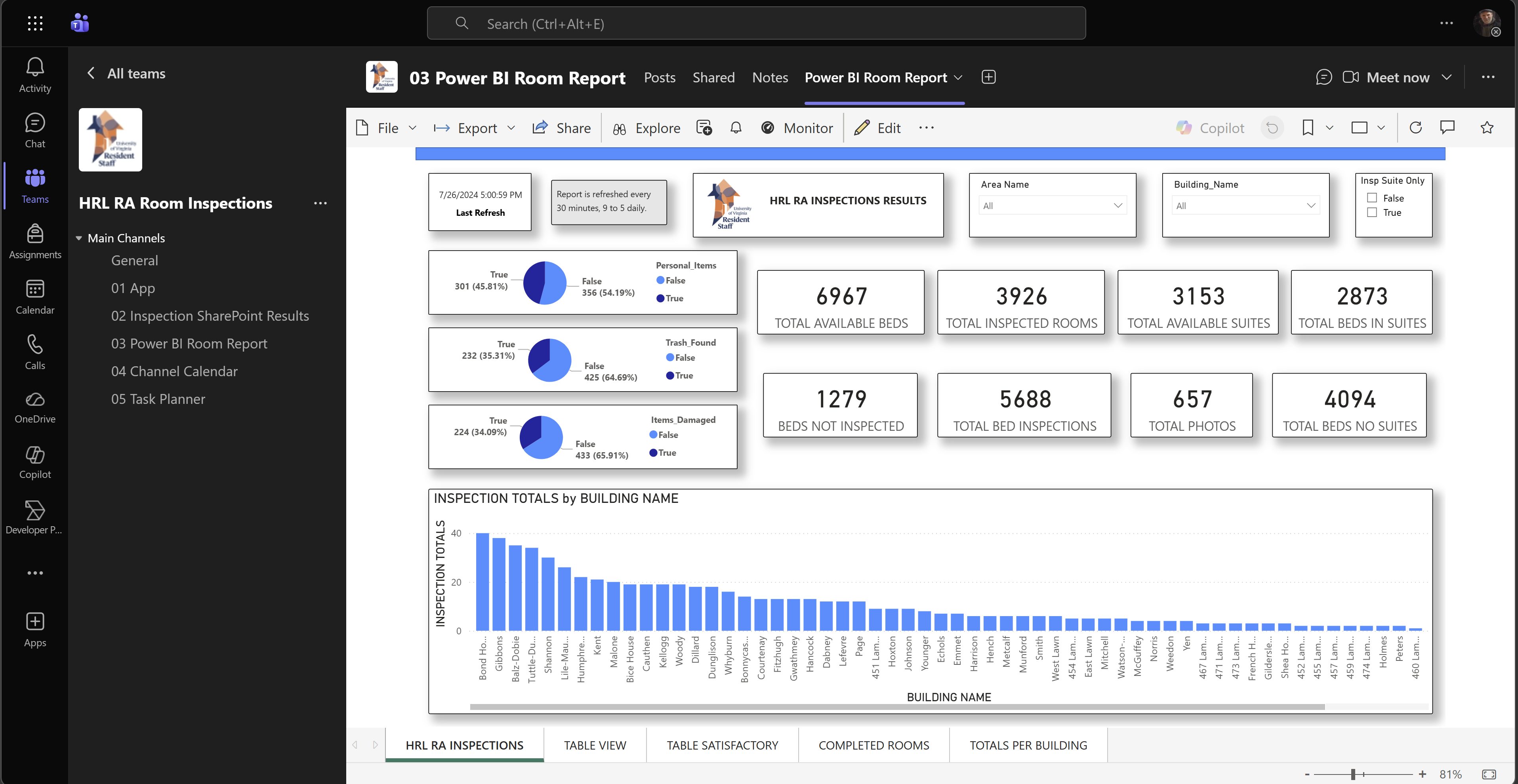
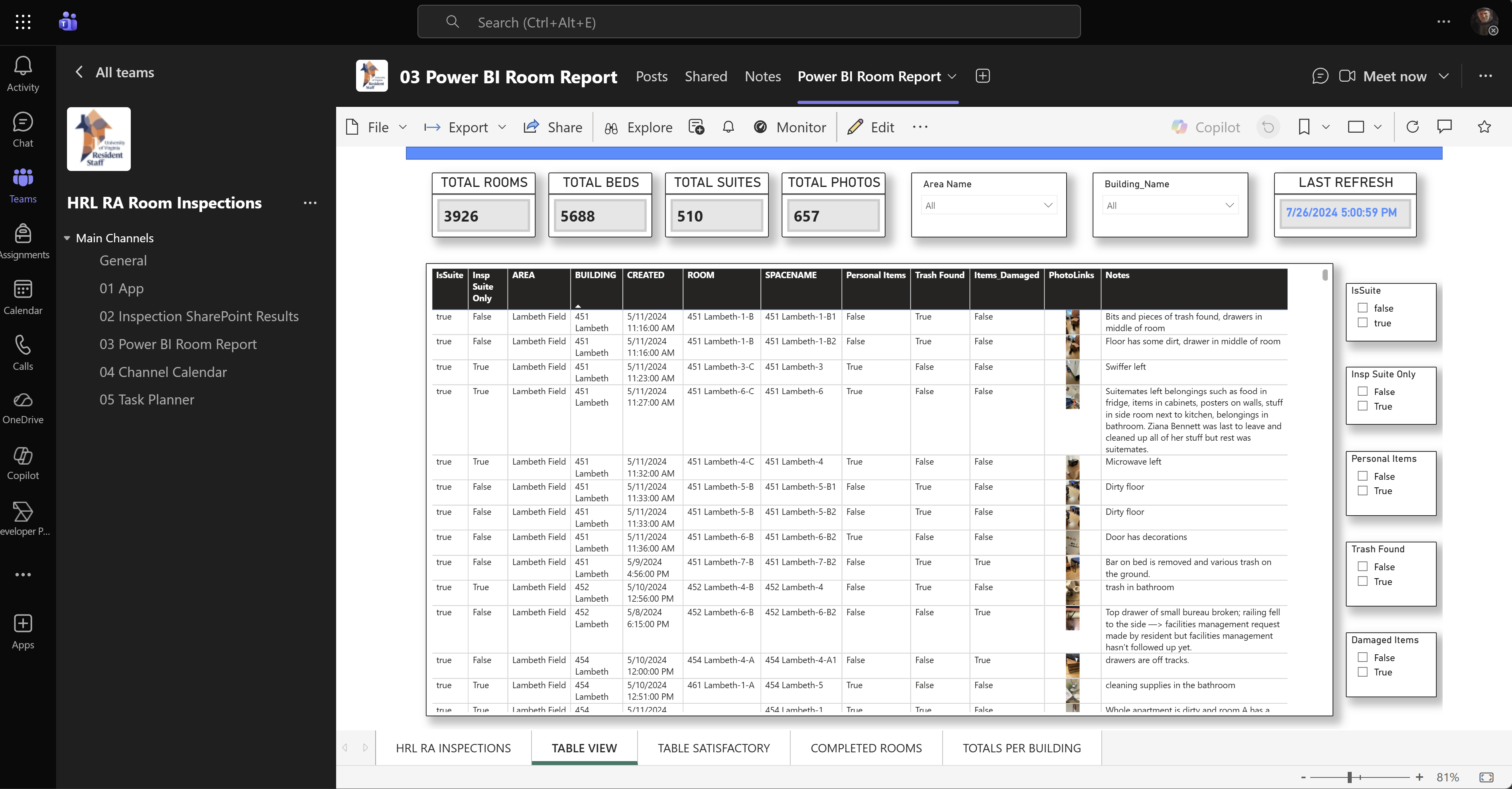
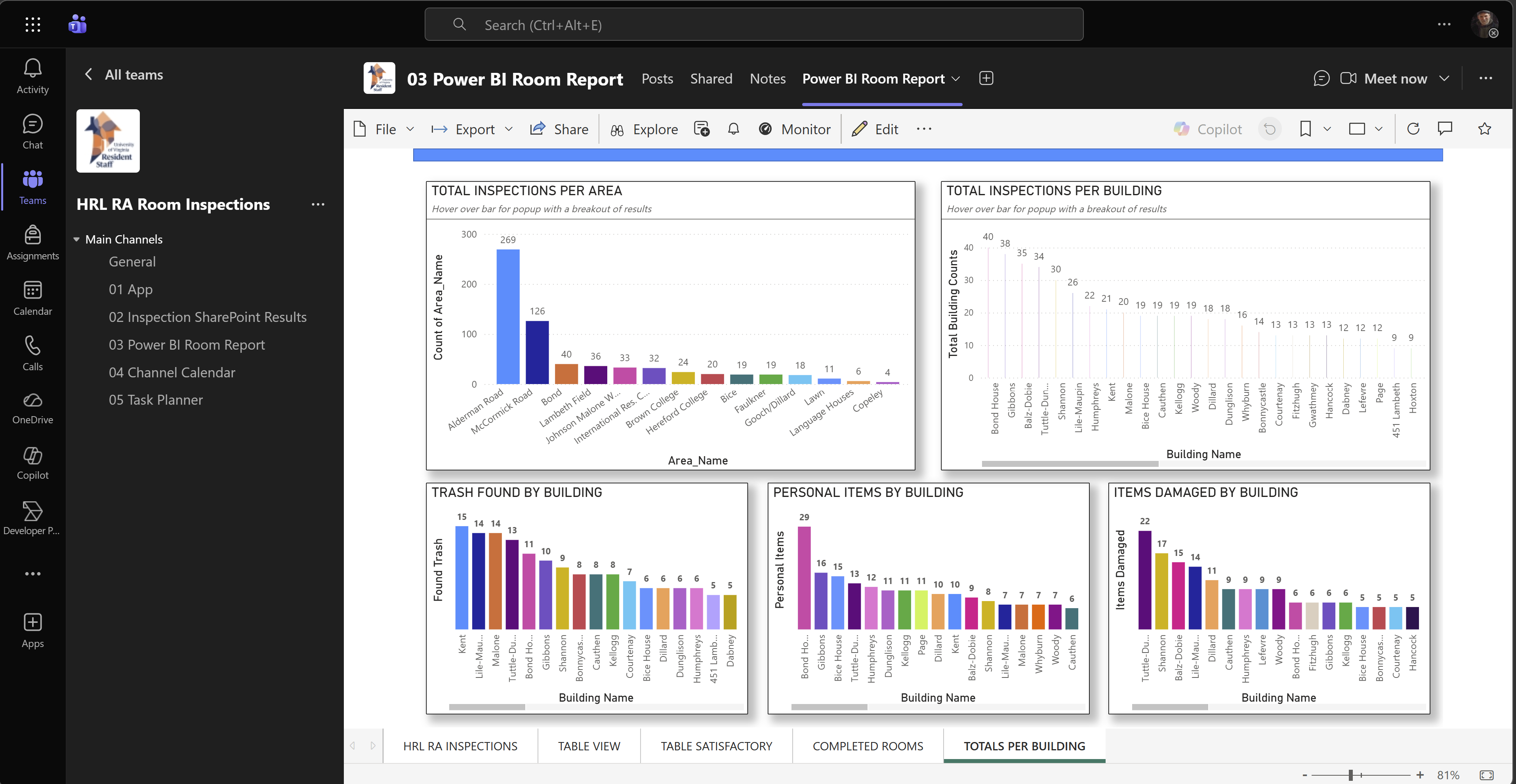
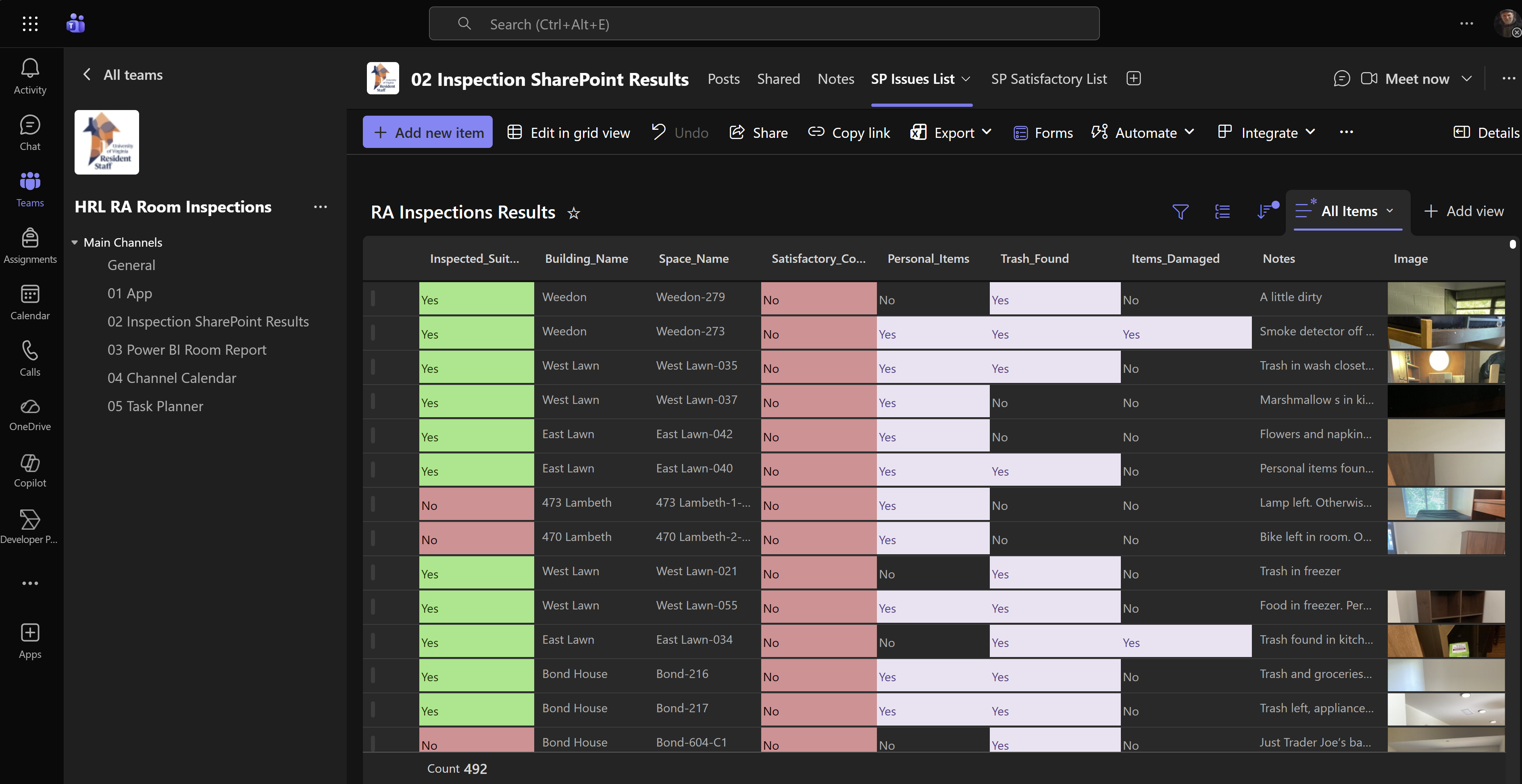
Mobile-optimized Canvas App for Resident Advisors to conduct room inspections, with SharePoint data storage, Teams integration, and a multi-page Power BI report.
Canvas AppsSharePointPower BITeamsMobile-First
App Walkthrough
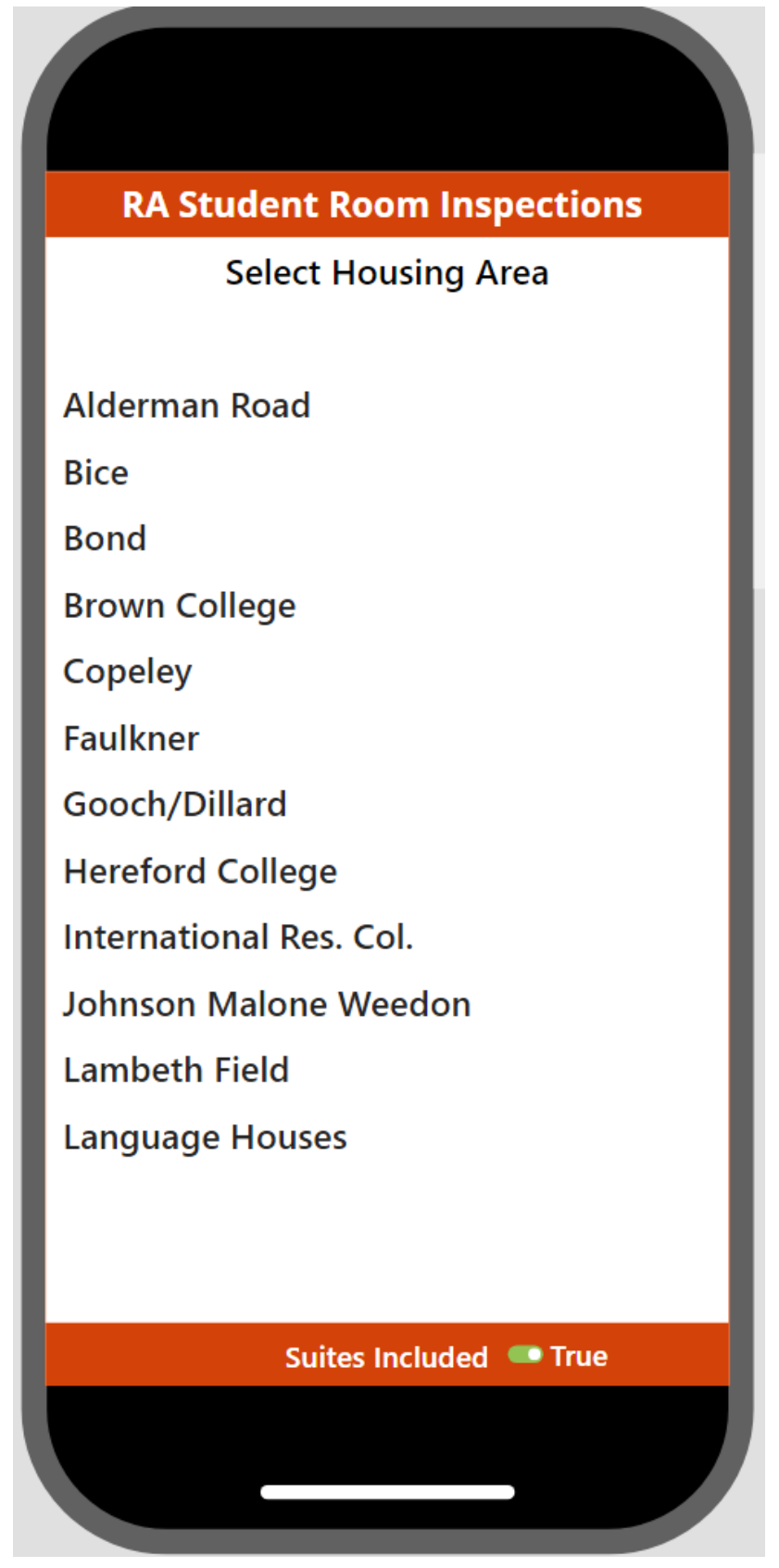
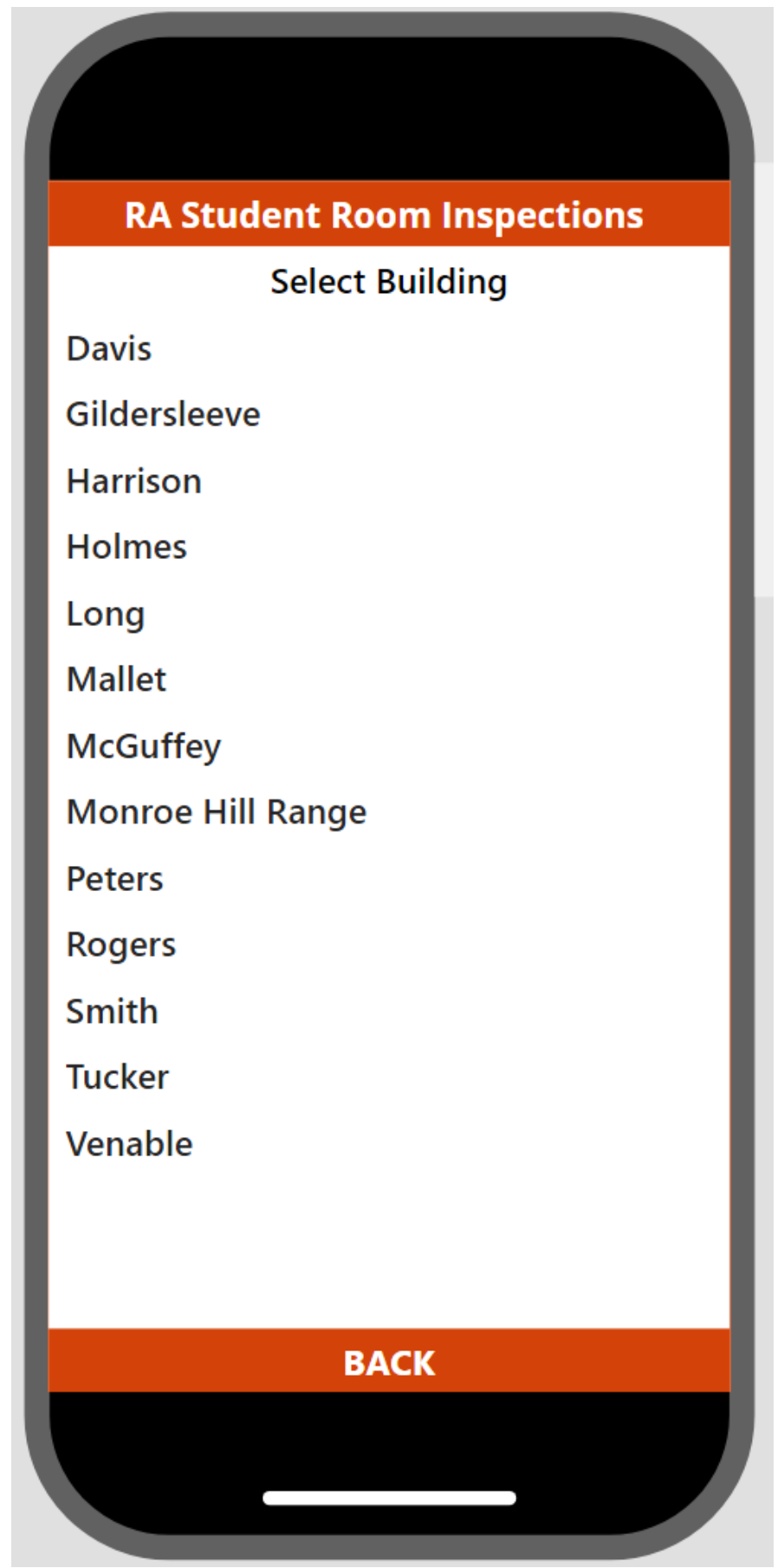
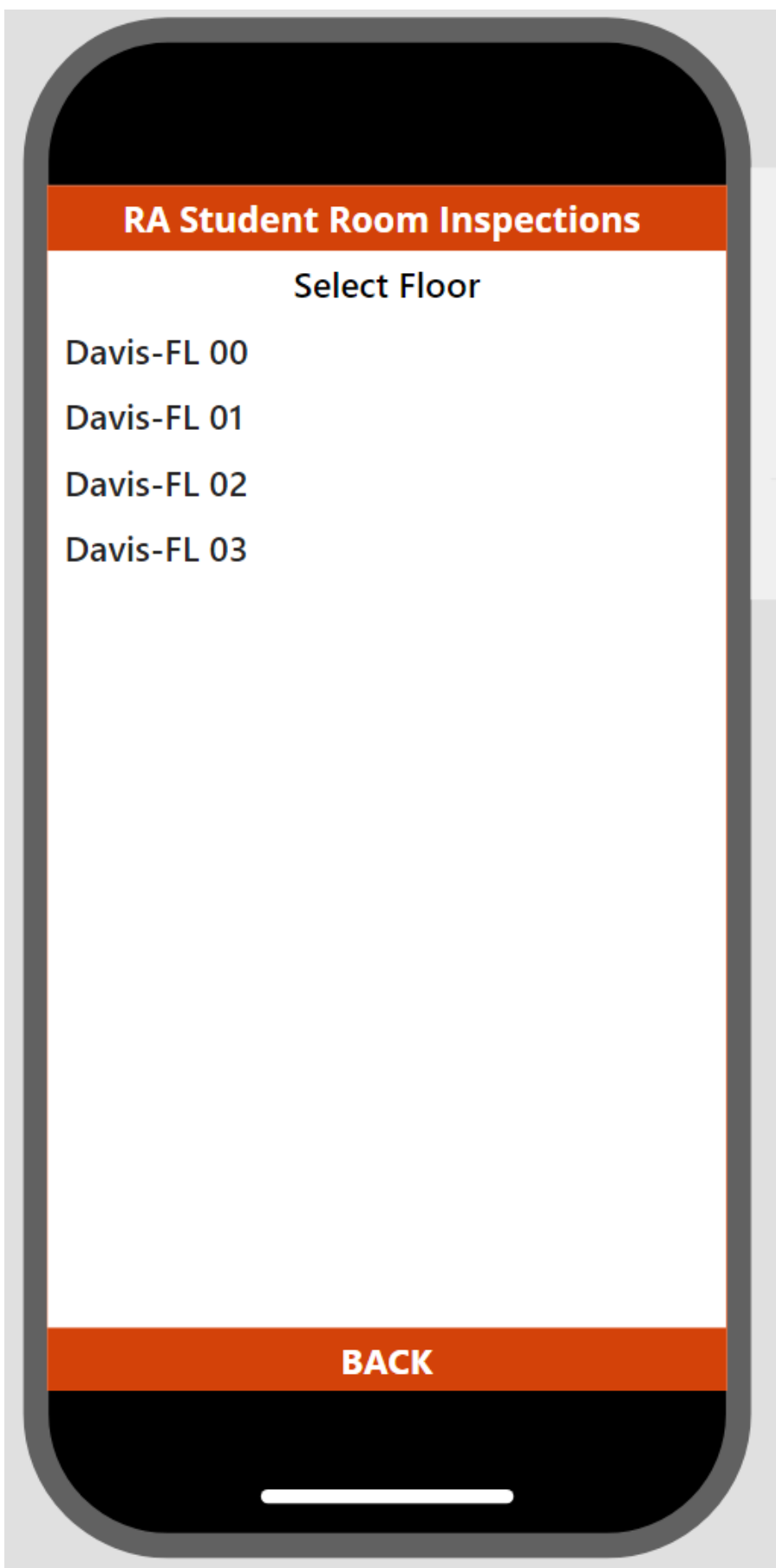
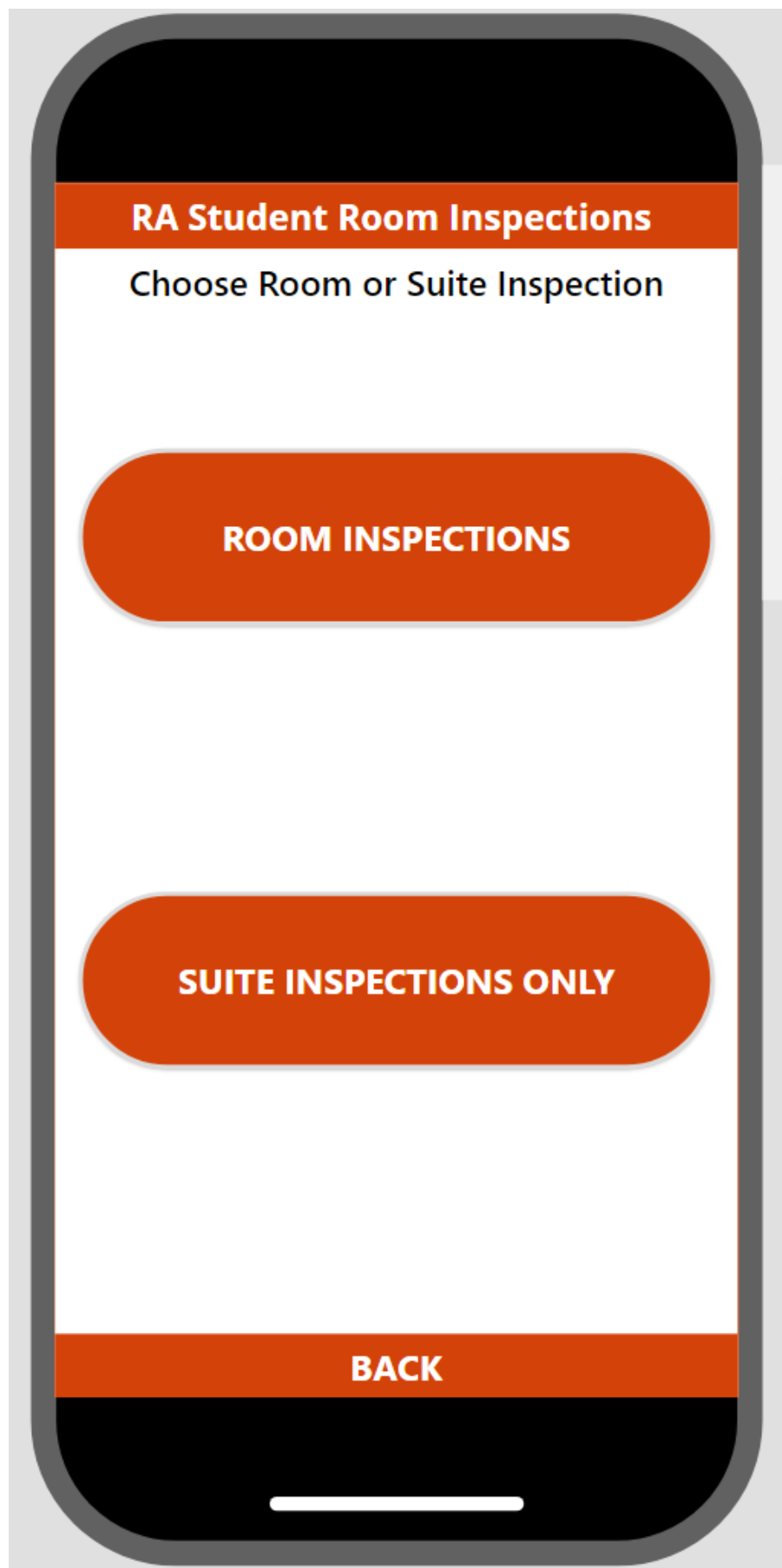
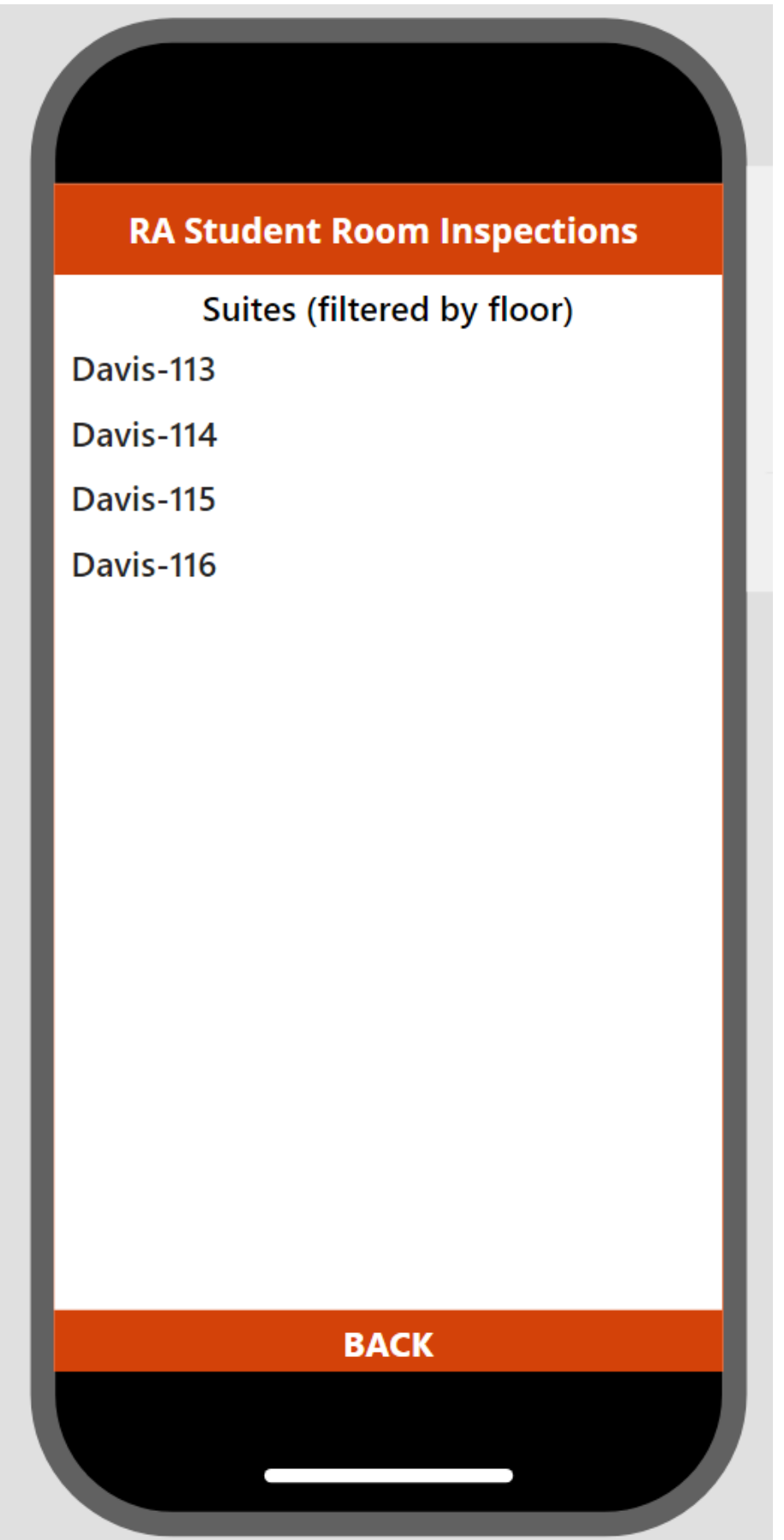
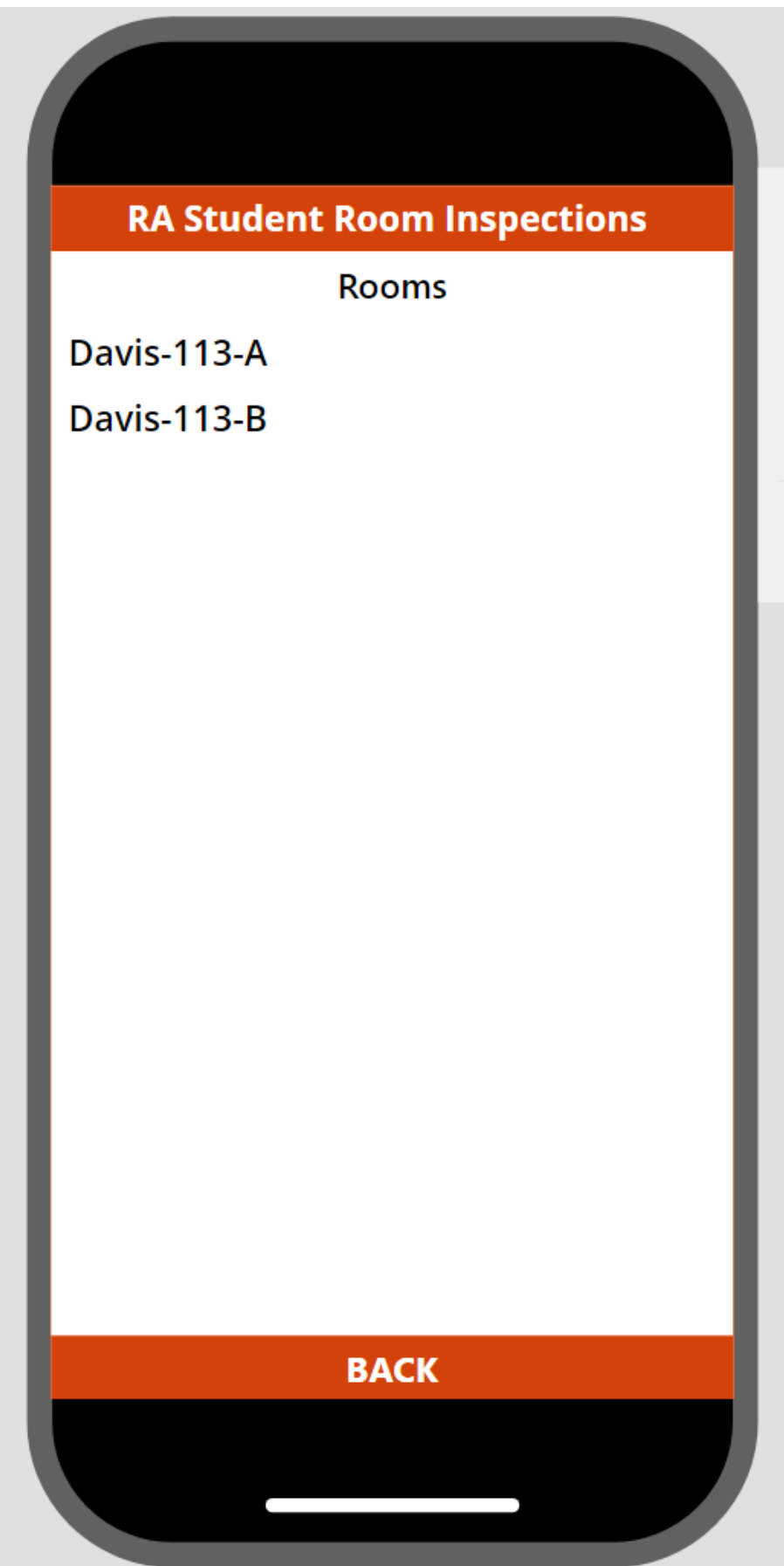
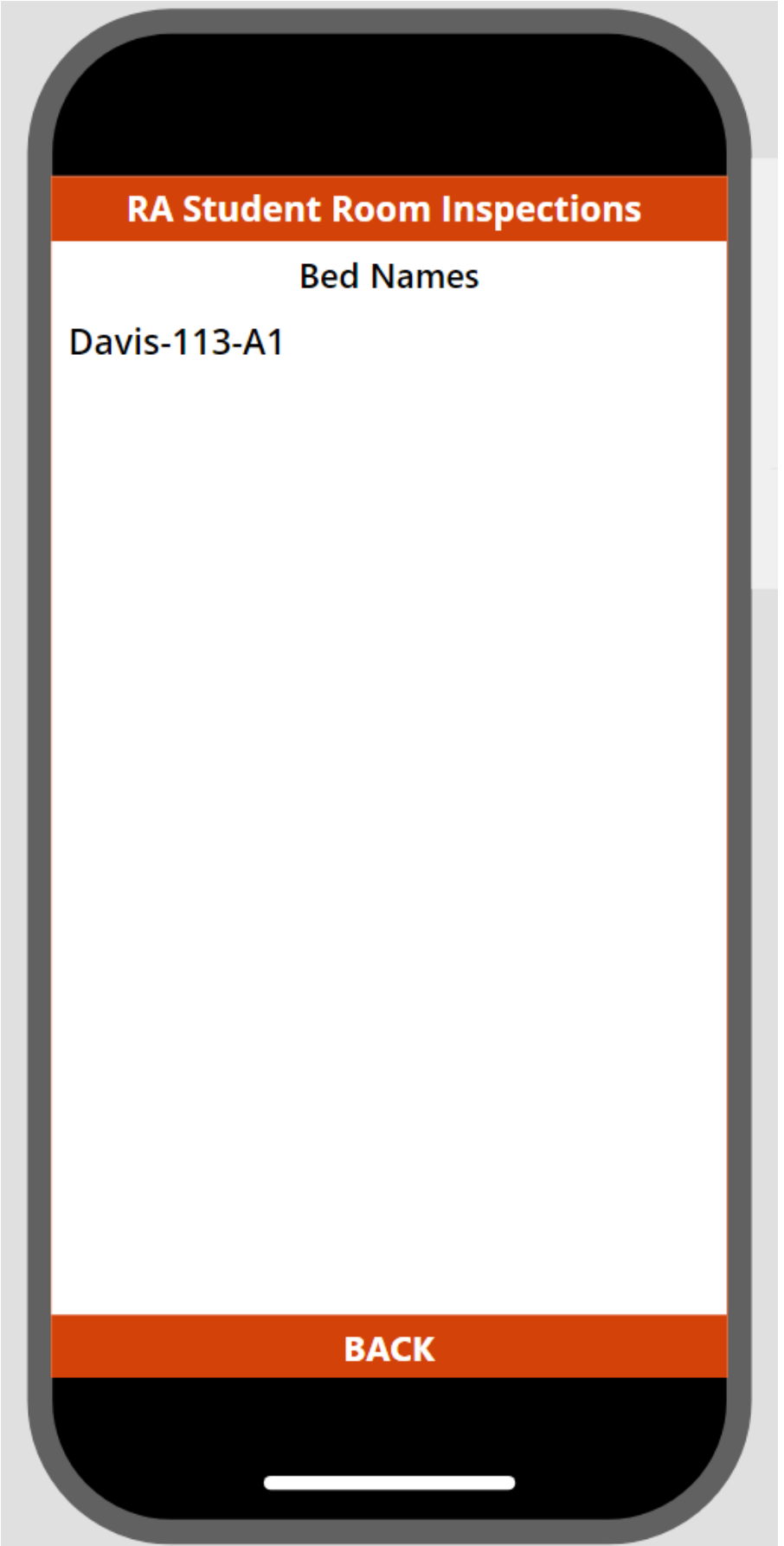
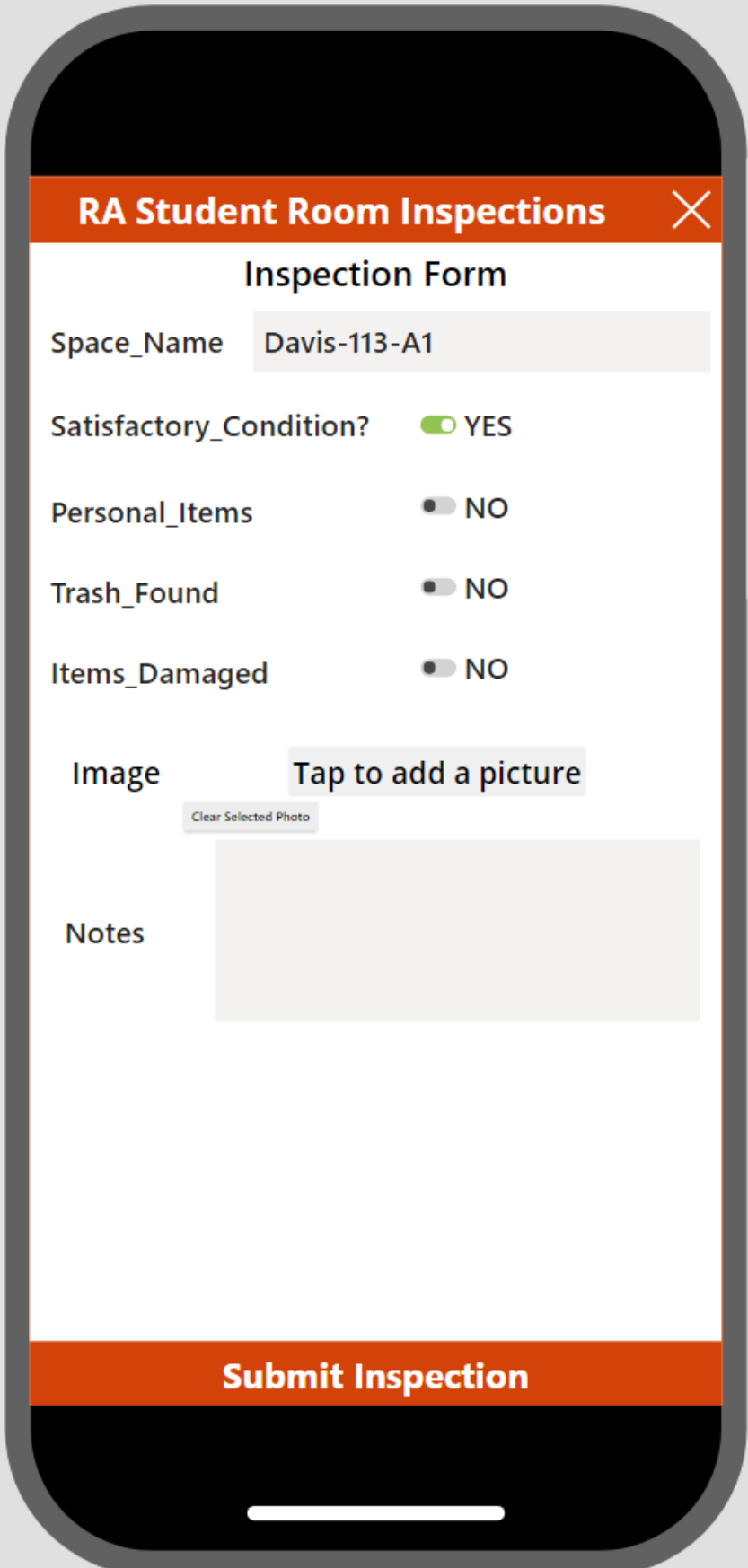
Select Housing Area Select Building Select Floor Choose Inspection Type Select Suite Select Room Select Bed Inspection Form
Power BI Report
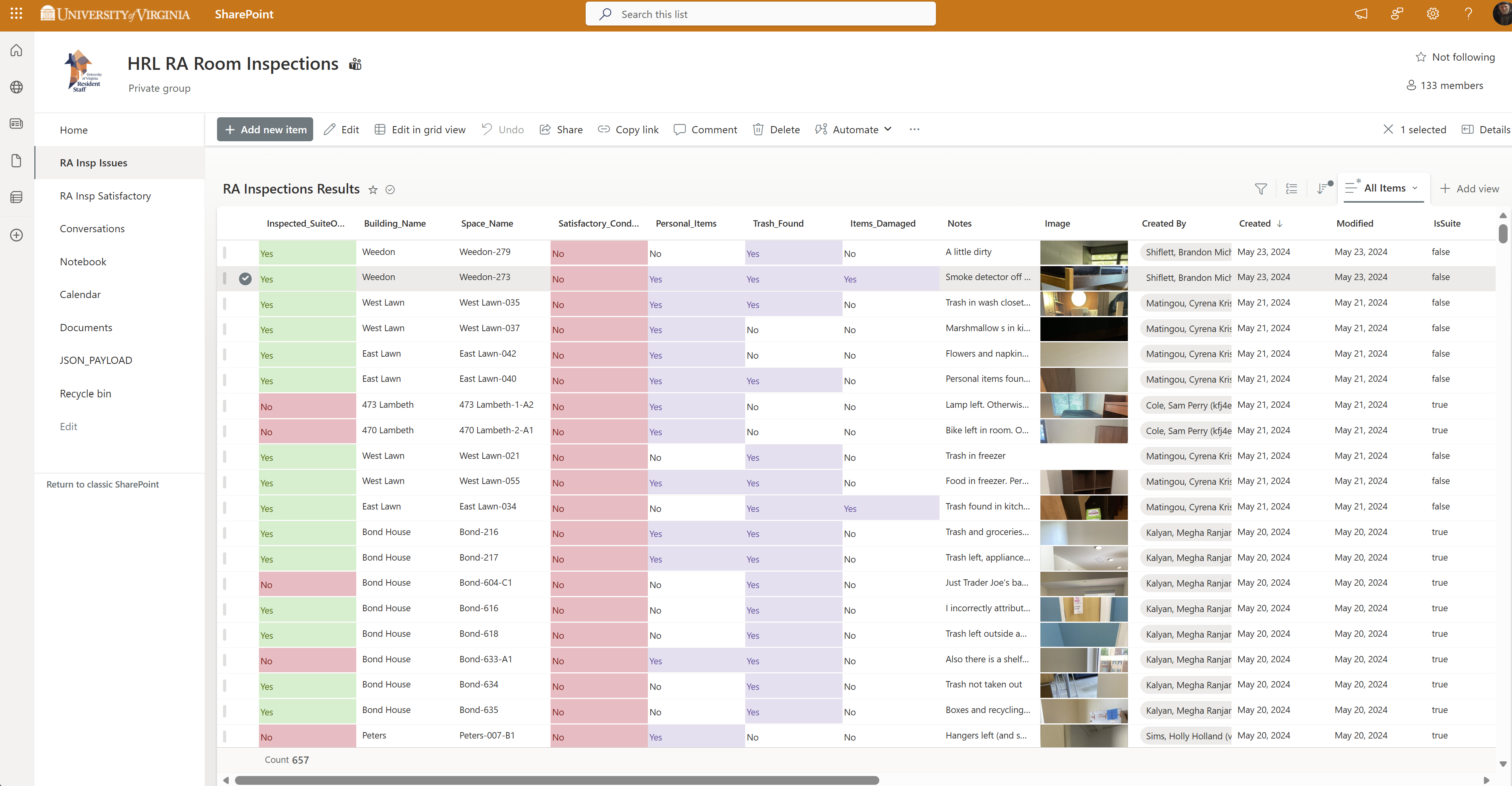
RA Room Inspection Report Table View Totals per Building
Data & Integration
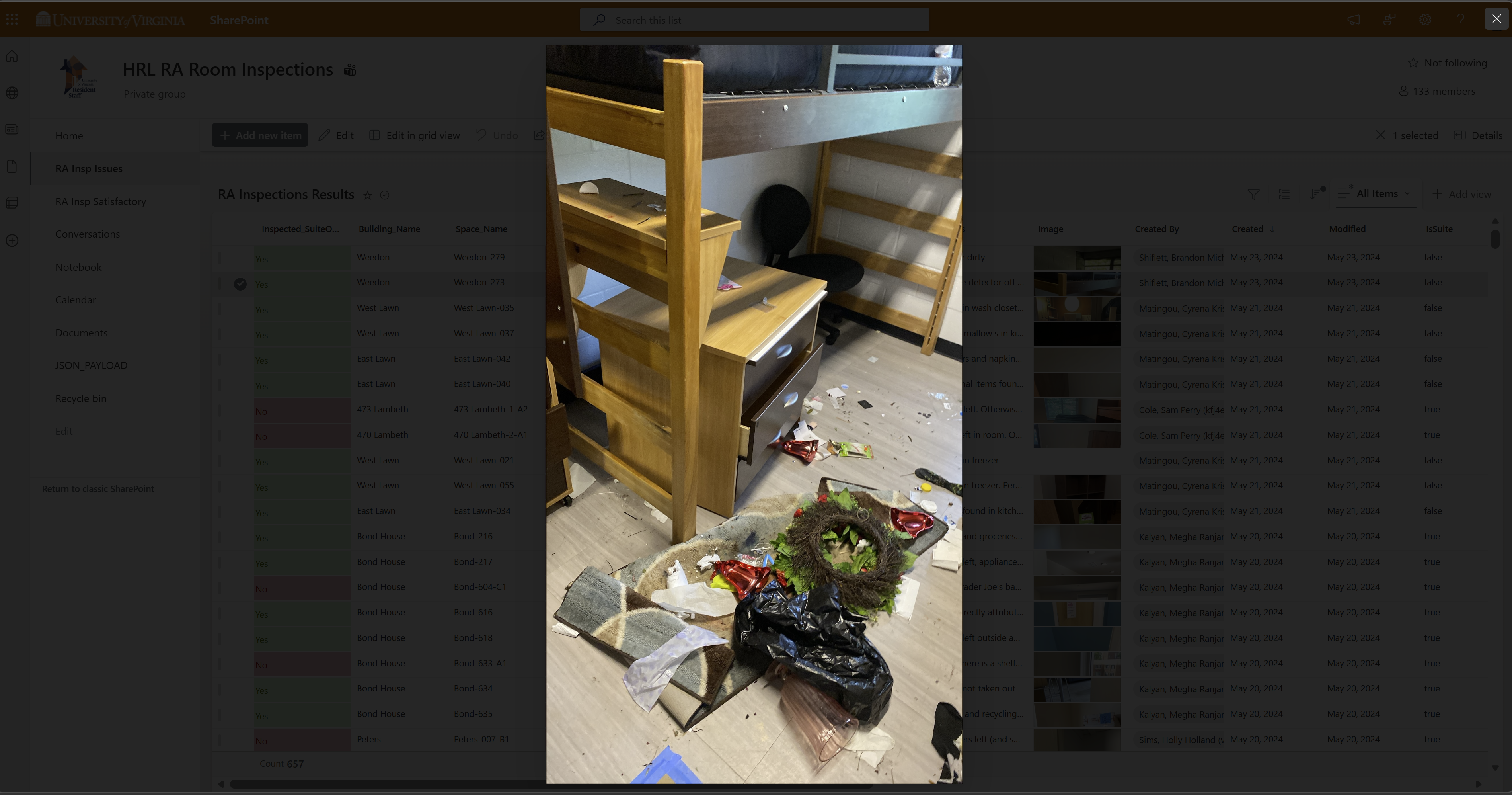
Teams View SharePoint Table Sample Photo
Inspection Dashboard
Power BI
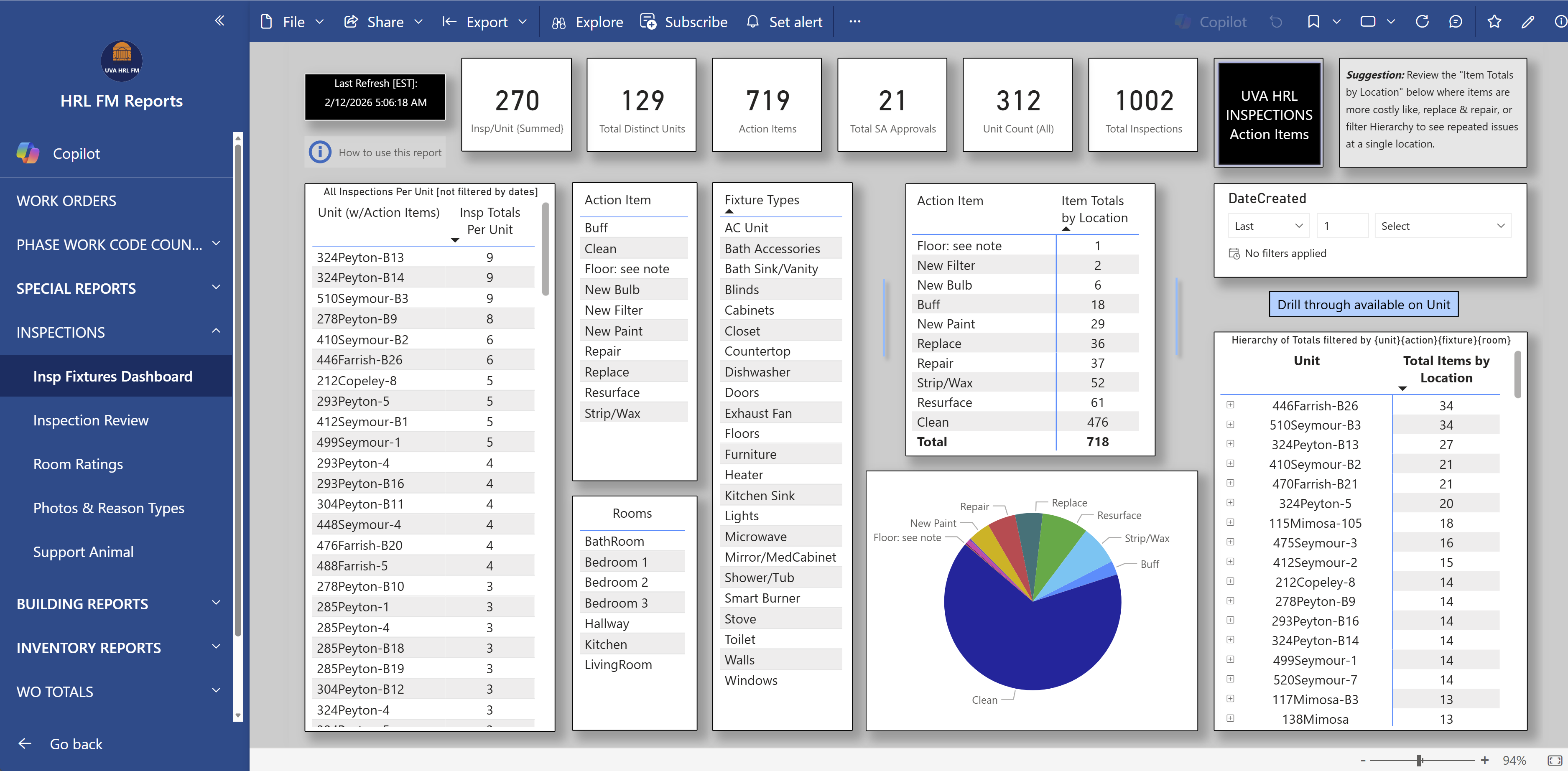
Inspection Fixture Conditions Dashboard
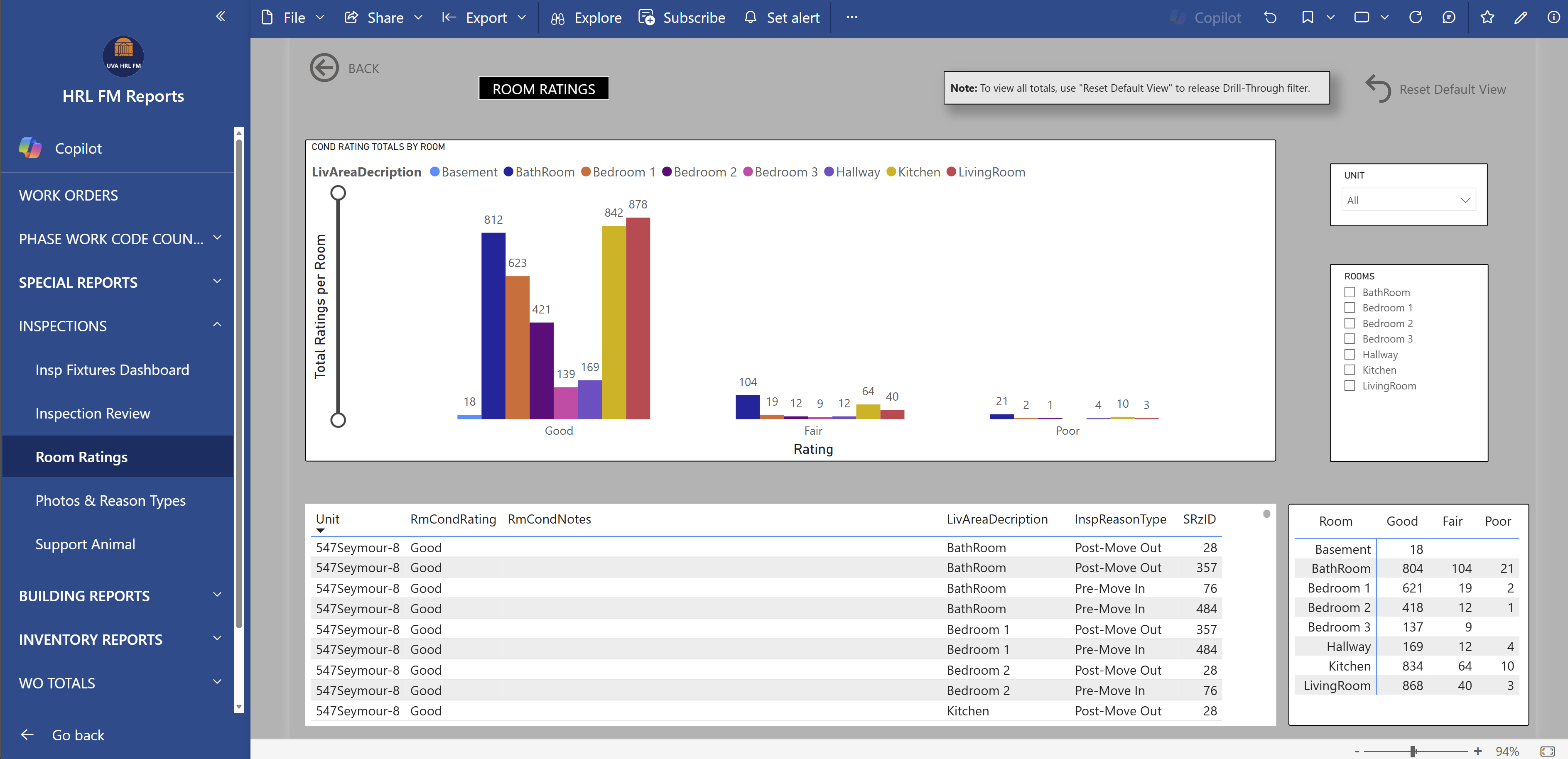
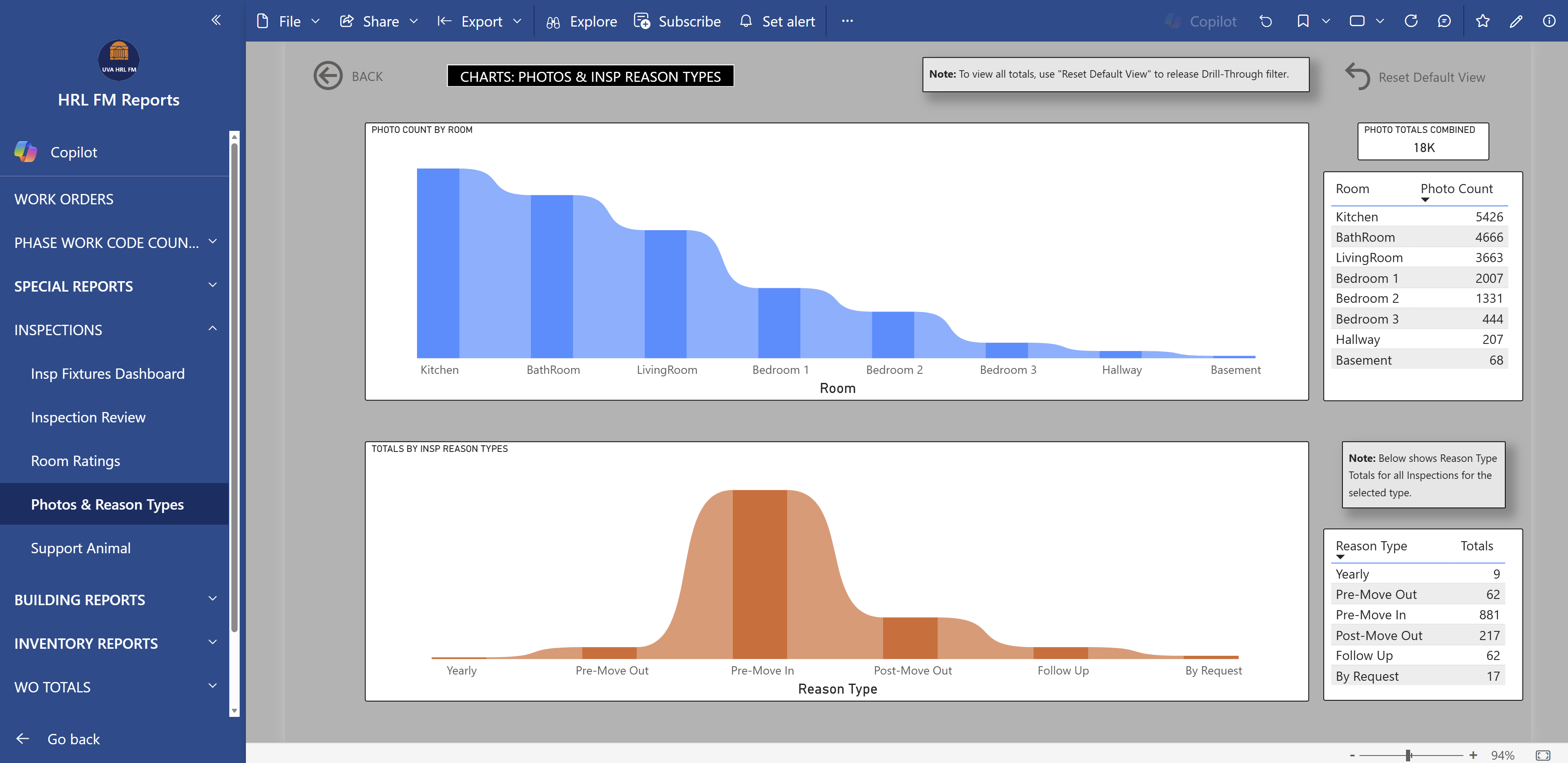
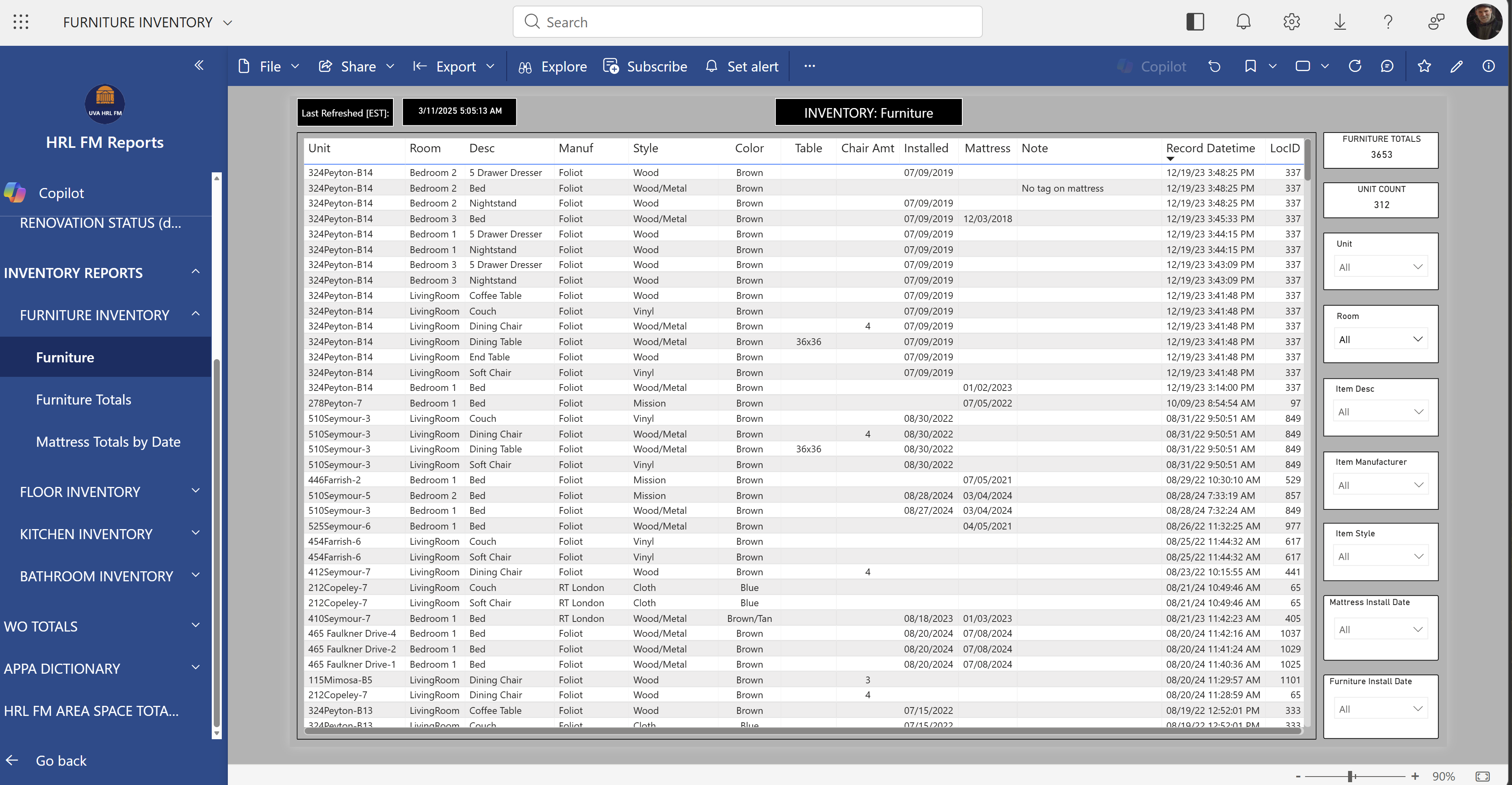
7-page Power BI report suite connected to the FM Inspection SQL database, providing stakeholders with fixture condition analysis, room ratings, photo counts by reason type, support animal tracking, and furniture inventory across all residential buildings.
Power BIDAXSQL ViewsData Modeling
Report Pages
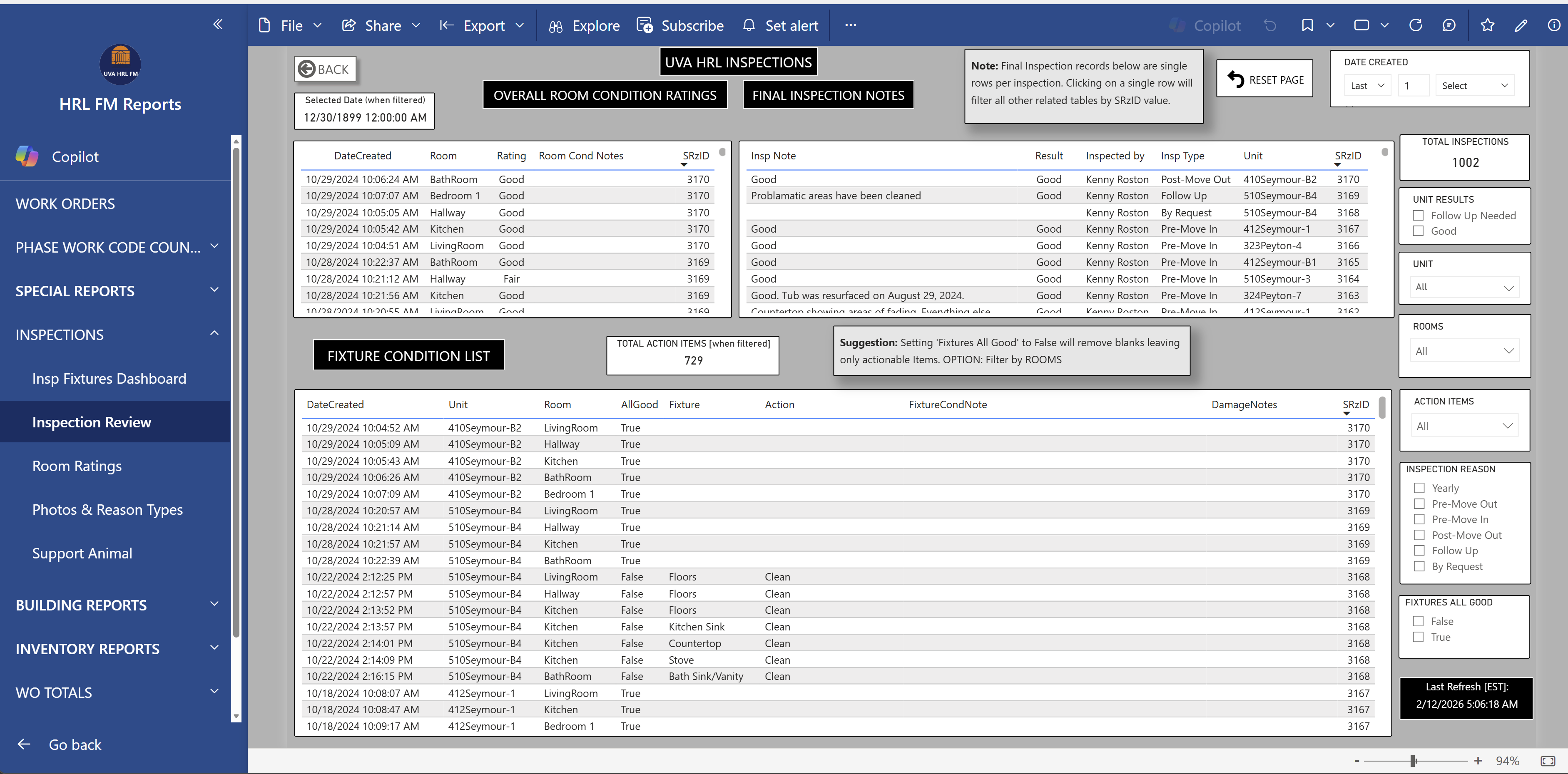
7-page report: Fixture Dashboard, Inspection Review, Room Ratings, Photo Count & Reason Types, Support Animal tracking, and Furniture Inventory.
Screenshots
Inspection Review Room Ratings Photo Count Furniture
Work Orders
Power BI
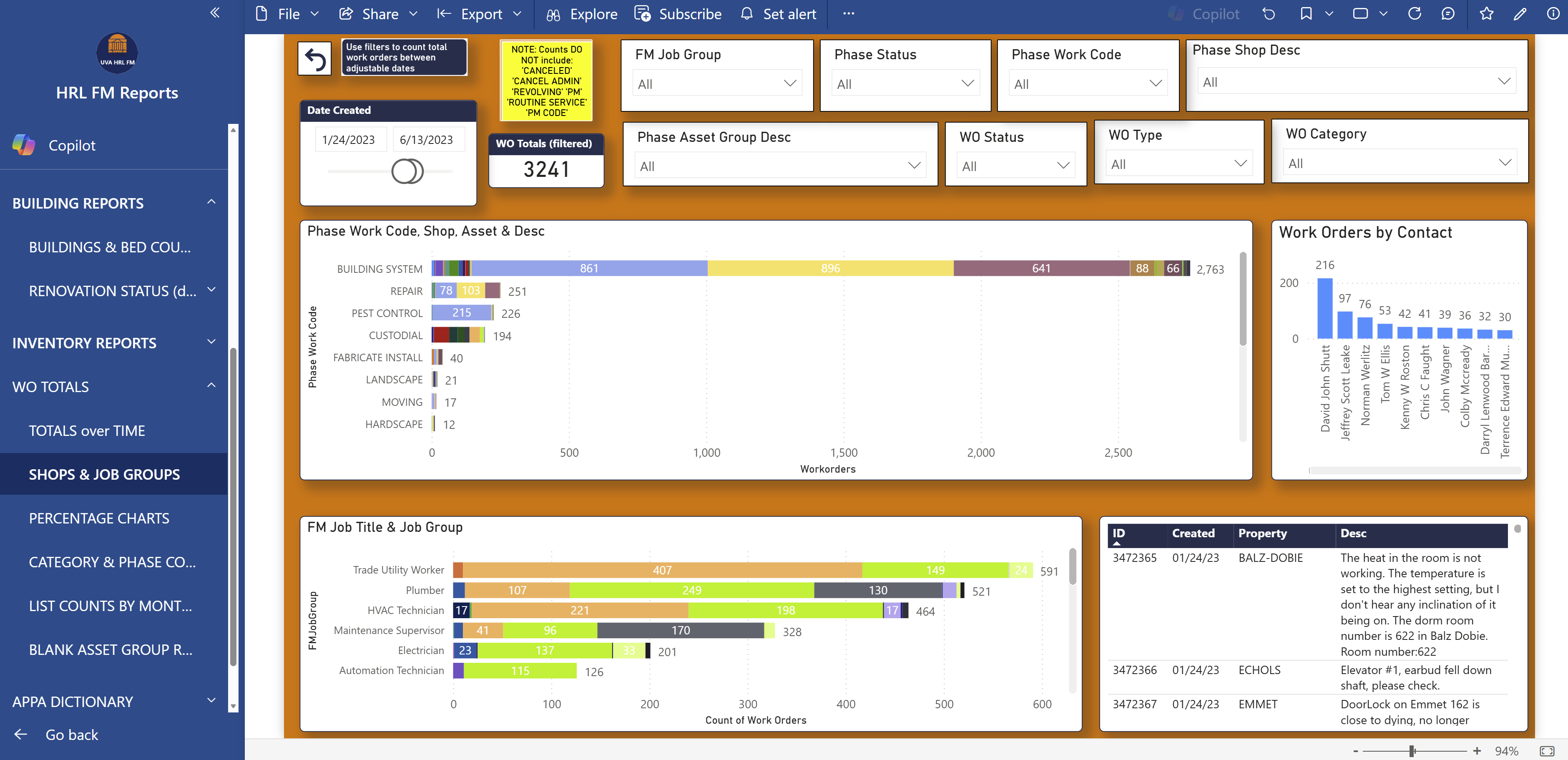
Work Order Dashboard
Power BI dashboard giving facilities leadership visibility into work order volume by shop and job group, with KPI metric suggestions to support data-driven resource allocation and maintenance planning.
Power BIOperations AnalyticsKPI Design
Move-In
Power BI
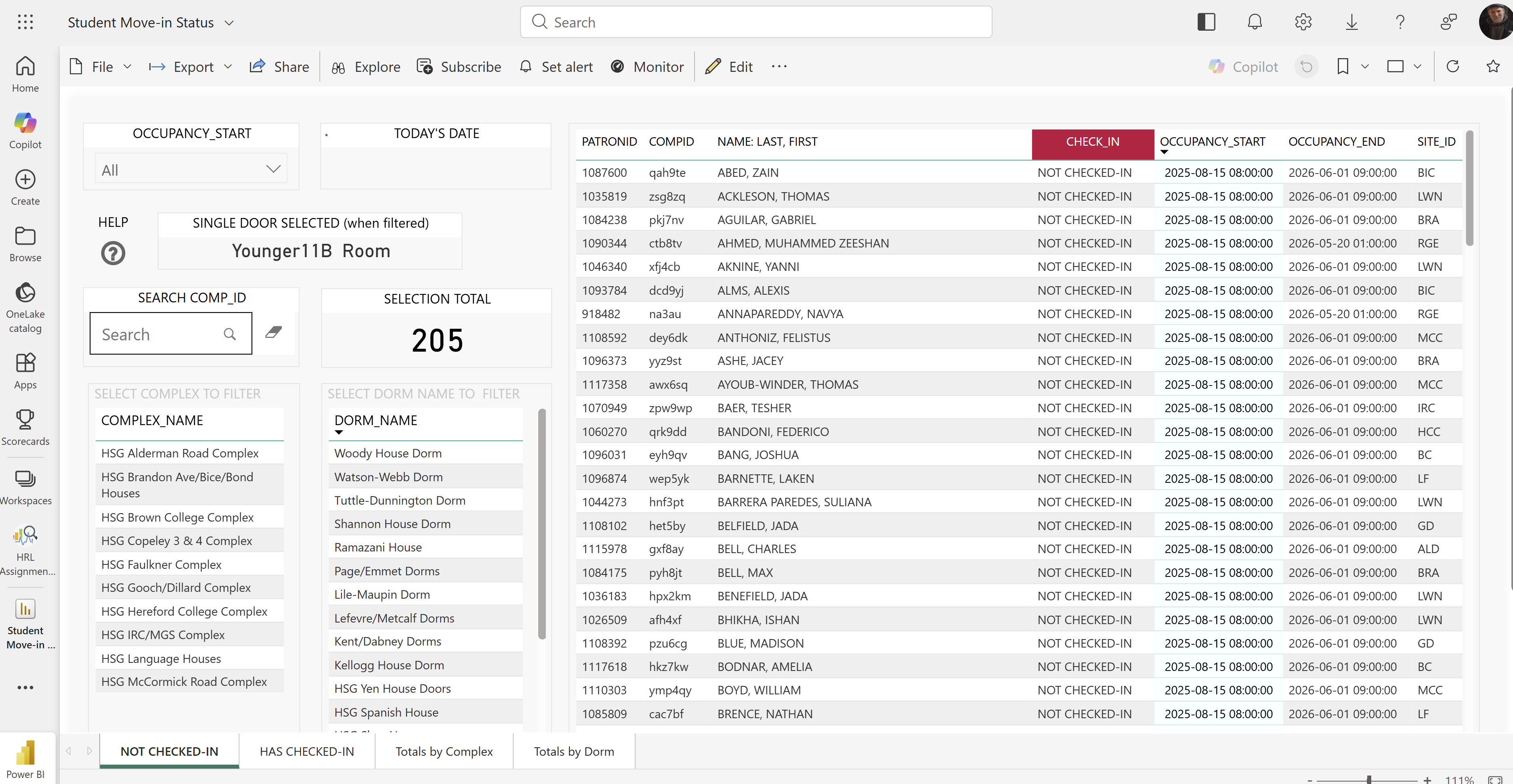
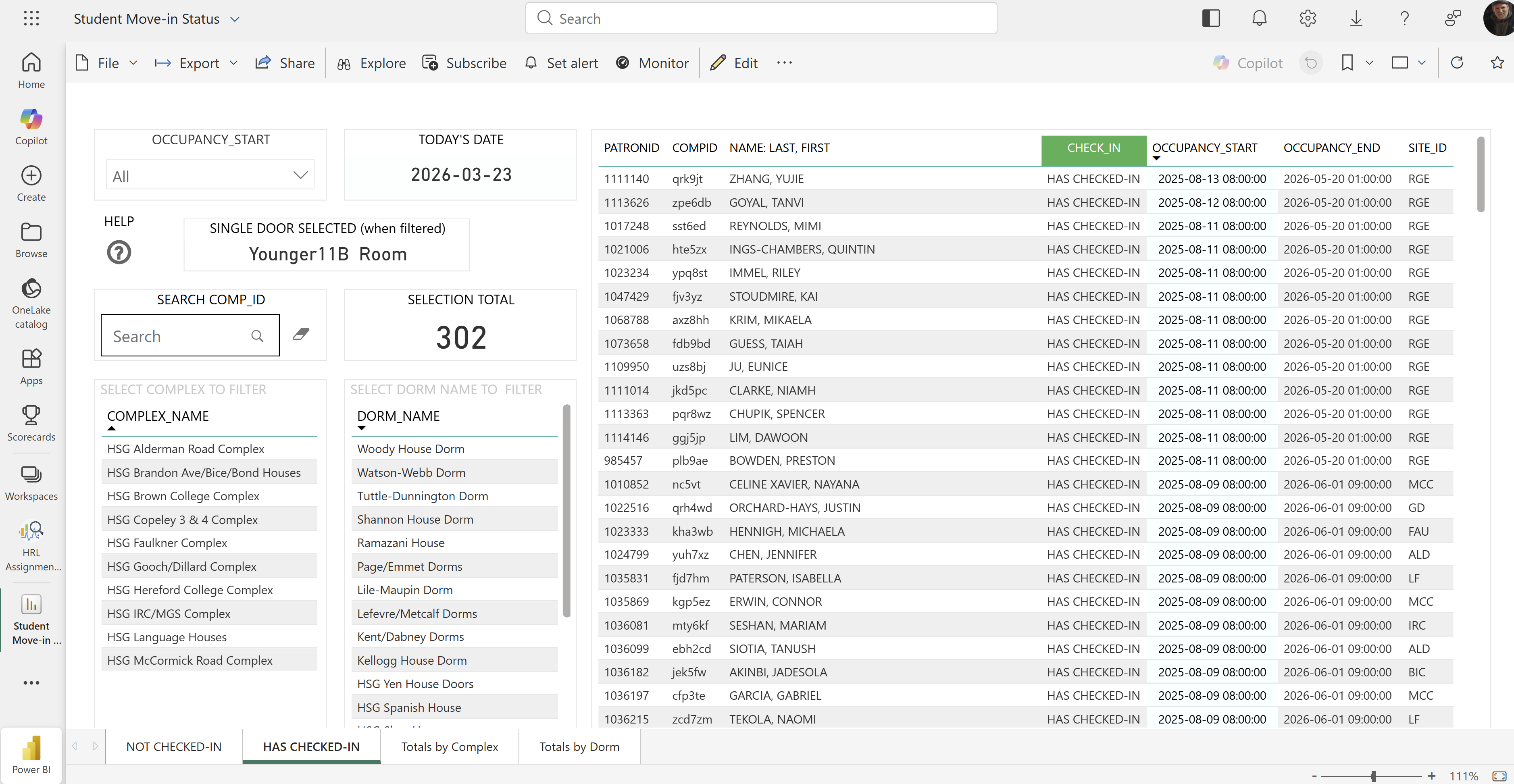
Student Move-In Status Tracker
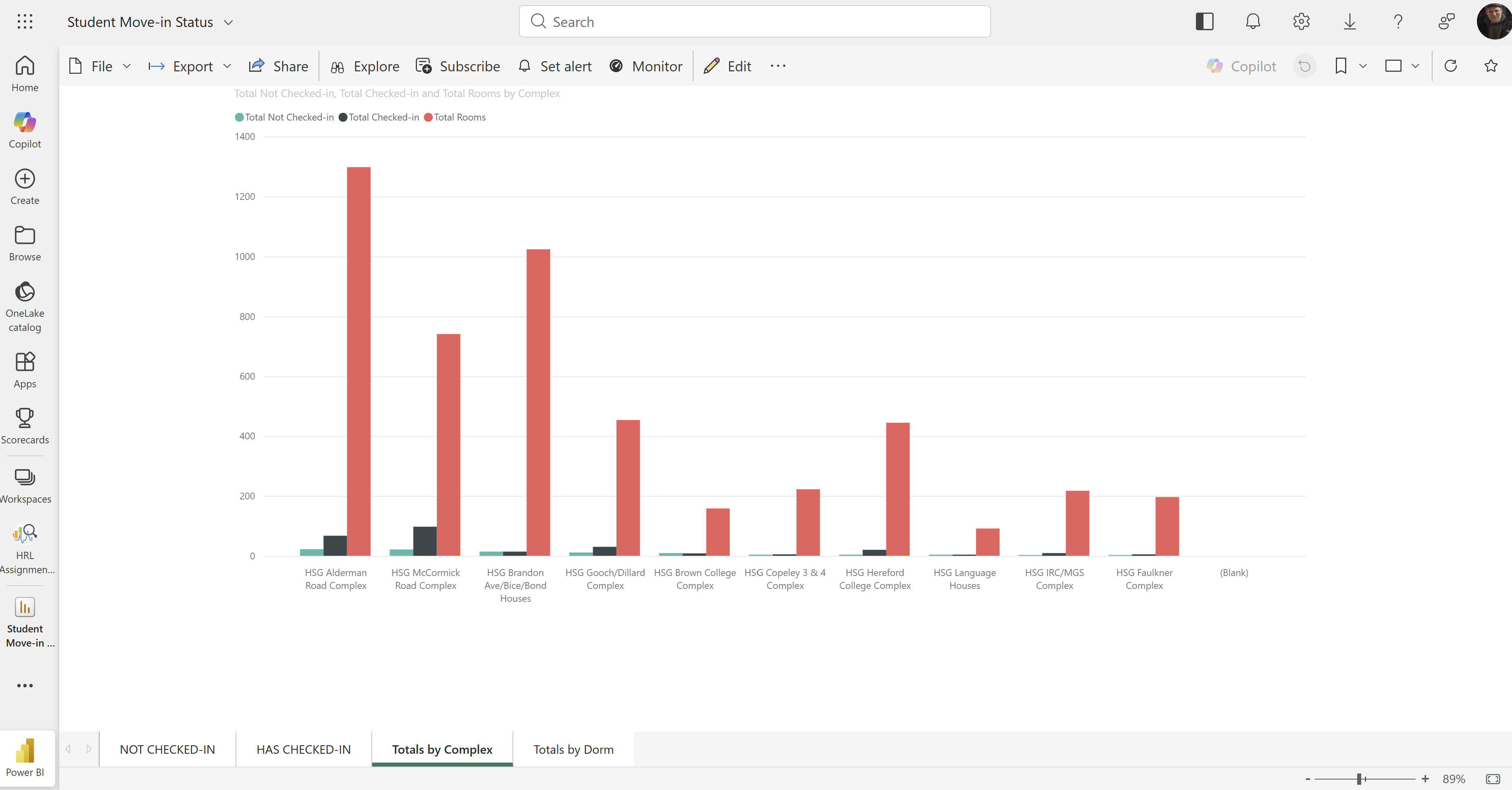
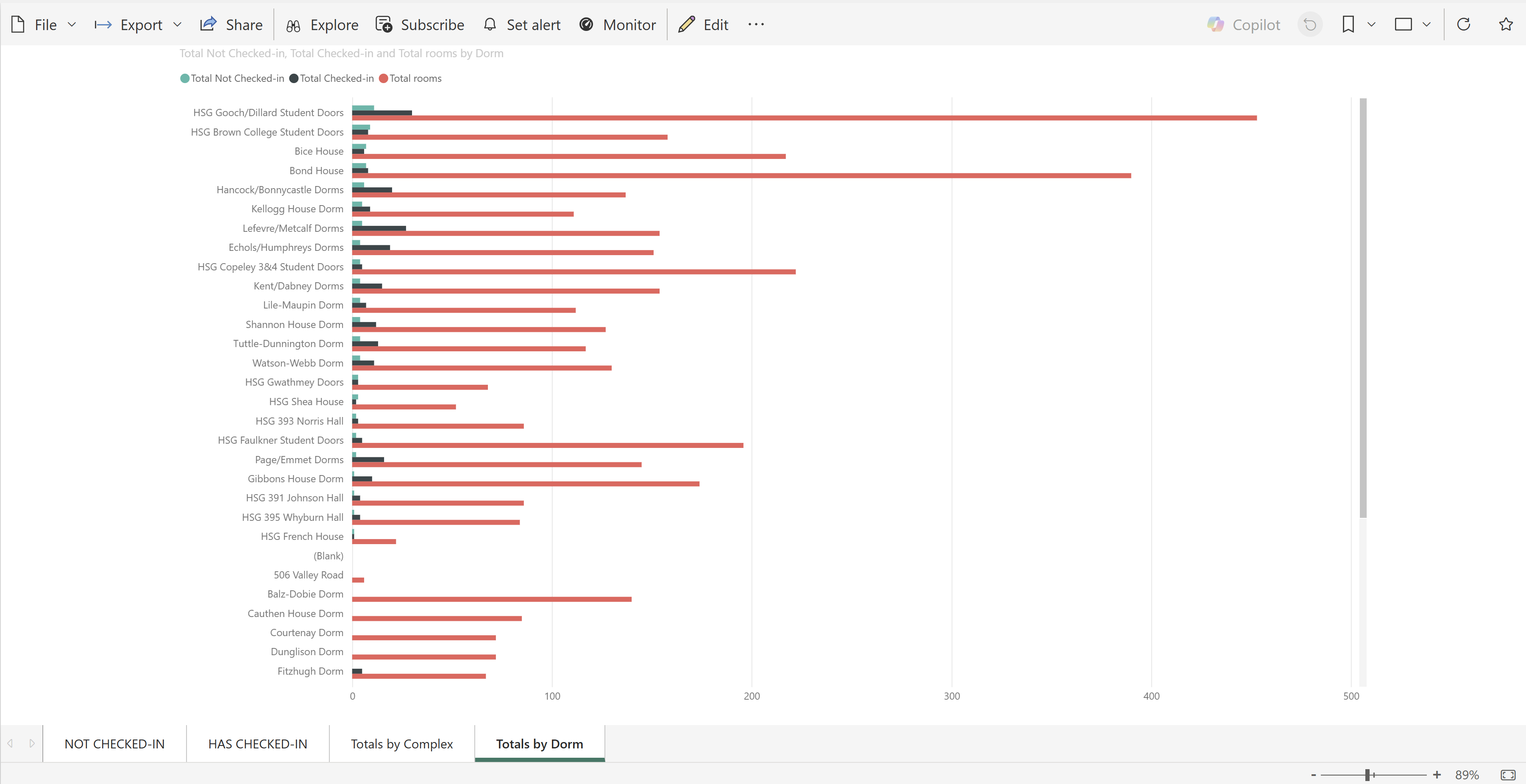
Real-time Power BI report connected to StarRez housing data, giving Housing leadership live visibility into student check-in progress during move-in week — with drill-down by individual status, complex totals, and building totals.
Power BIStarRezReal-time Data
Screenshots
Checked In By Complex By Dorm
Mailroom Staff Arrivals
Power BI + Oracle SQL + Power Query
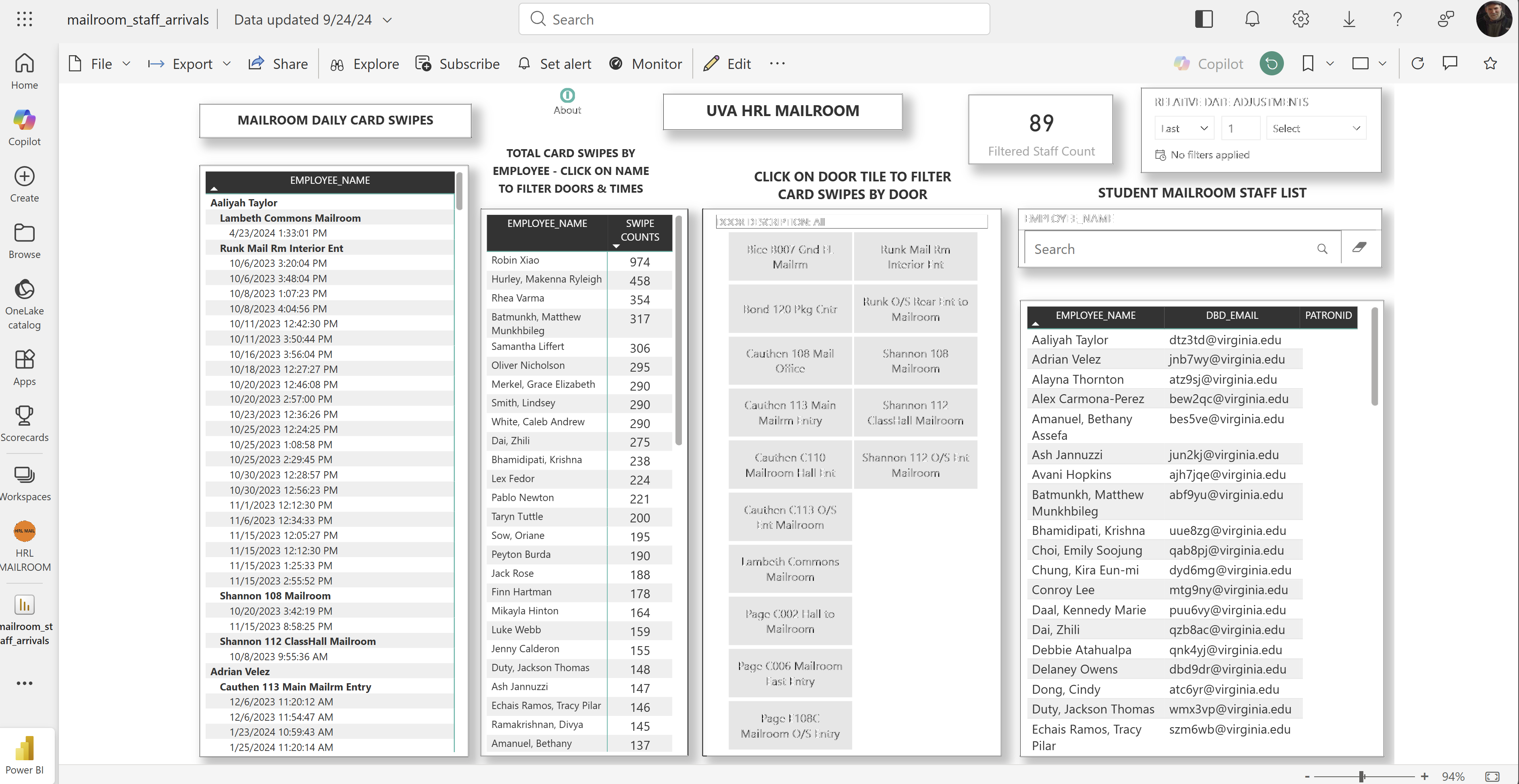
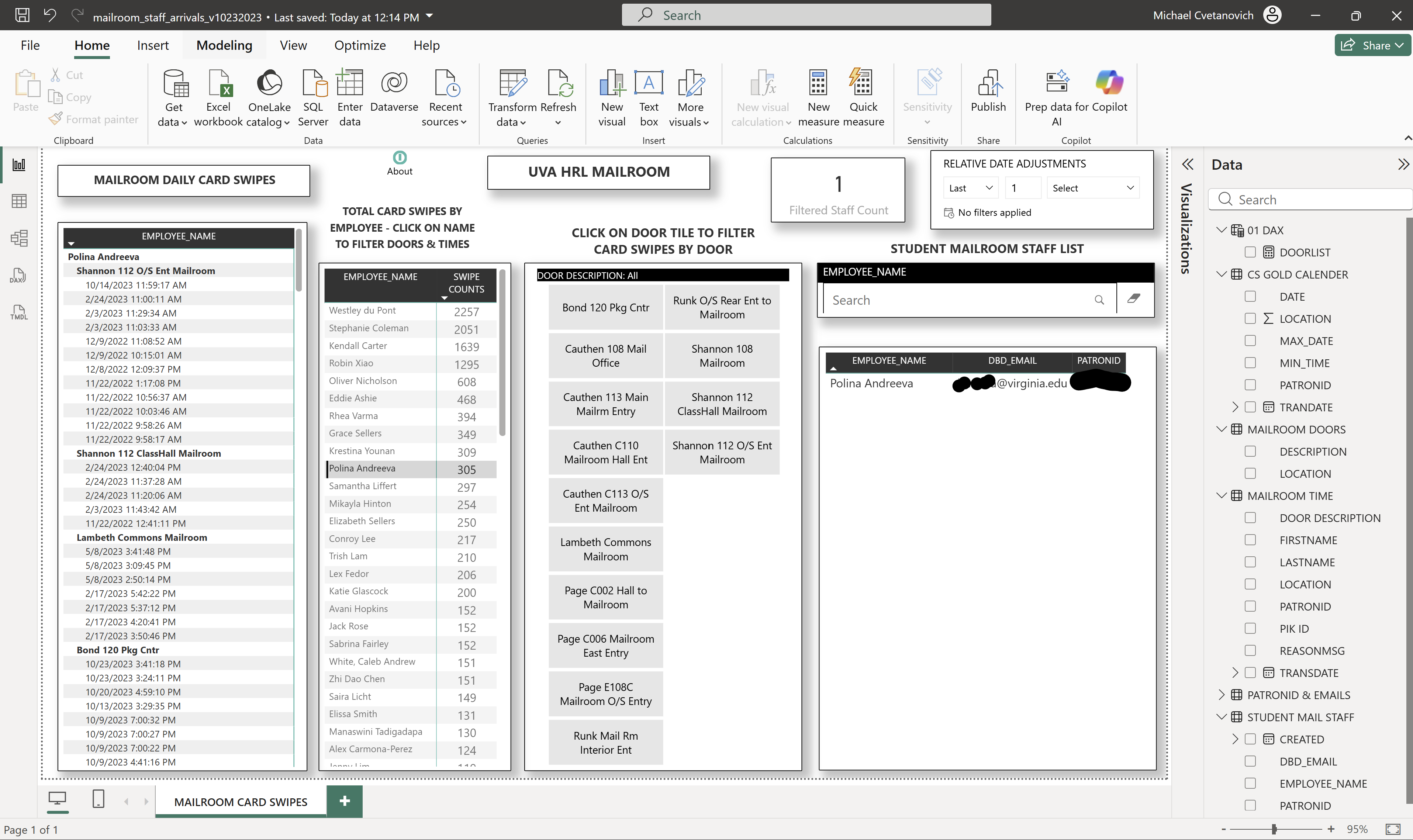
Mailroom Staff Arrival Tracker
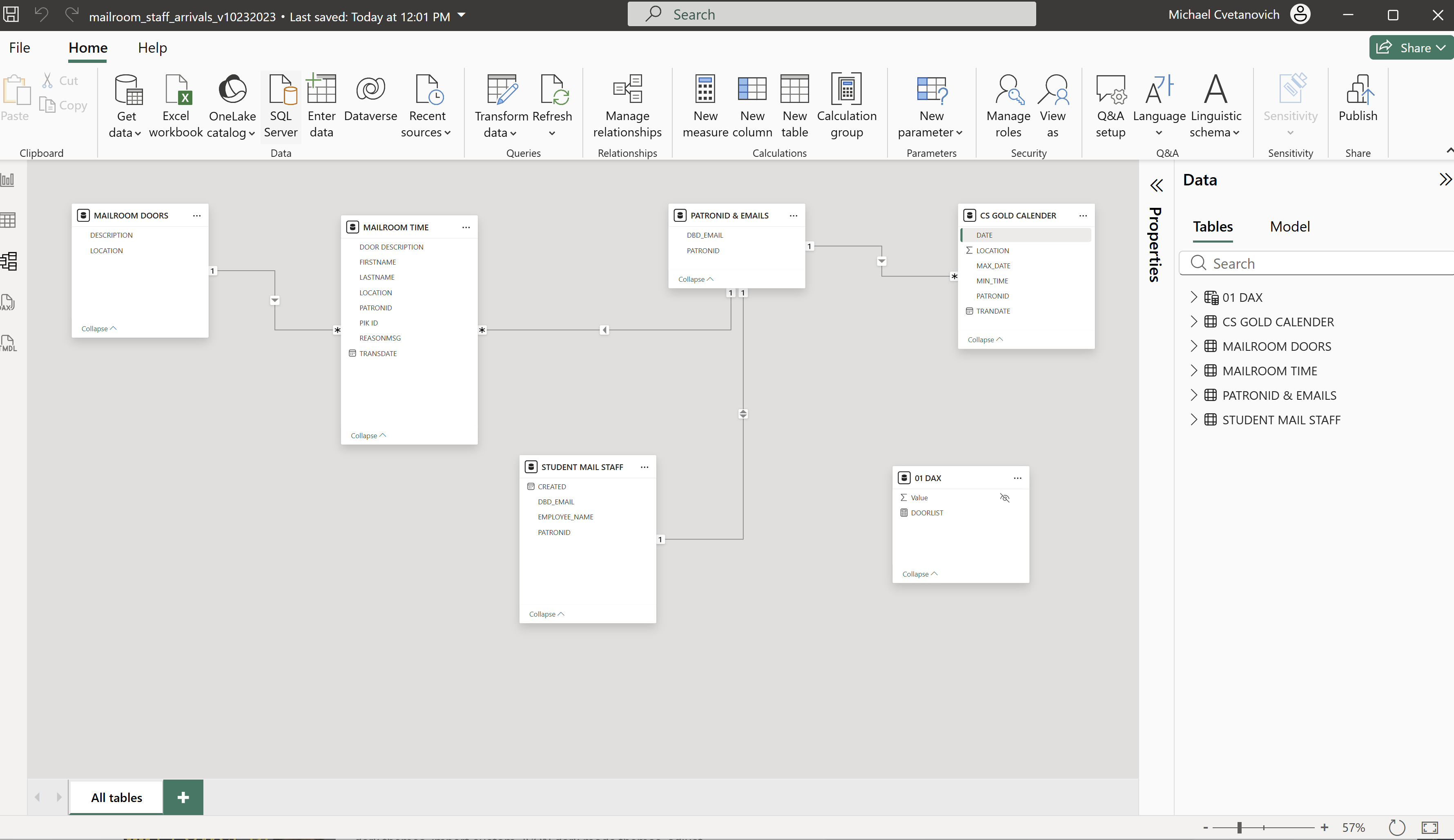
Power BI dashboard tracking mailroom staff arrival times using Oracle SQL queries against the Diebold access control system, with Power Query (M-Code) for data transformation.
Power BIOracle SQLPower QueryDieboldM-Code
Dashboard Views
Staff Arrivals Overview Single User Selected Mailroom Data Model
Code Sample — Oracle SQL Access History Query
/*Oracle DB CS_GOLD Script - Mike Cvetanovich*/ SELECT MAX(TO_CHAR(TRANDATE, 'MON-DD-YYYY')) AS "Transaction DATE", TO_CHAR(TRANDATE, 'HH24:MI:SS') AS "Transaction TIME", "PATRONINFO"."LASTNAME", "PATRONINFO"."FIRSTNAME", TO_CHAR(KEYVALUE) AS "PIK ID", "LOCATIONDESCRIPTION"."LONGDES" FROM "DIEBOLD"."ACTIVITYTRANLEDGER_VR" LEFT OUTER JOIN "DIEBOLD"."PATRONINFO" ON ACTIVITYTRANLEDGER.PATRONID = PATRONINFO.PATRONID WHERE REASONMSG = 'Approved' AND TRANDATE >= trunc(sysdate)-5 AND to_number(to_char(TRANDATE,'HH24')) BETWEEN 7 AND 9 ORDER BY 1 ASC, 2 ASC
Voltage Analysis
Power BI + Oracle SQL + Batch Automation + CS Gold
Housing Access Control
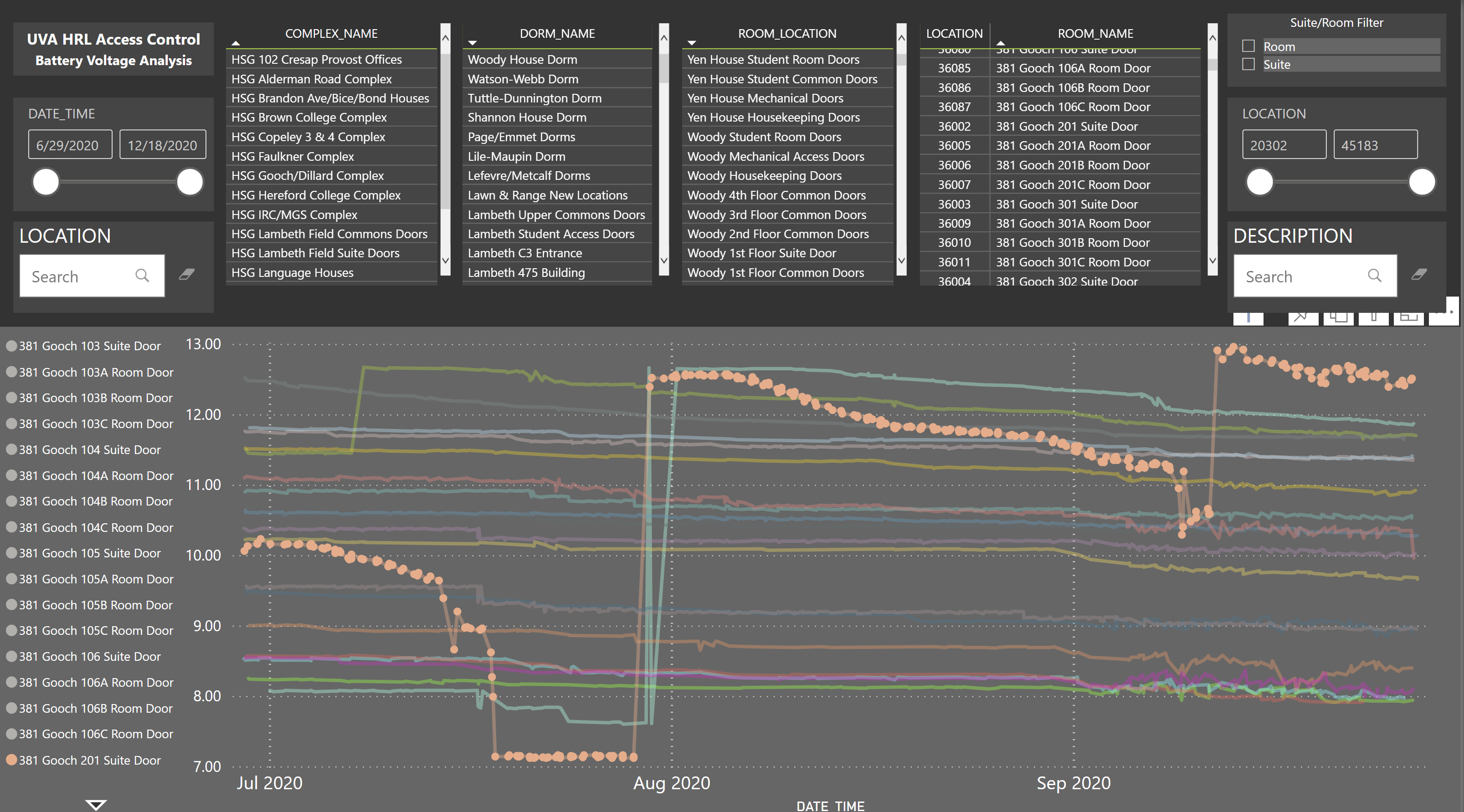
Automated offline doors, Battery Powered Doors needed a Voltage Analysis report to monitor failures. Also reports for residential buildings using Oracle SQL queries against Diebold's CS Gold access control system.
PowerShellOracle SQLBatch ScriptsDiebold CS GoldsqlclAutomated Reports
How the Batch Scripts Worked
Windows Task Scheduler triggered batch files that launched Oracle sqlcl sessions, executed SQL queries against the Diebold CS Gold database, spooled results to CSV, and using PowerShell generated HTML reports inserted into emails and sent to stakeholders — all without manual intervention. Reports tracked offline doors, voltage levels, parent device status, and alarm states across for 30,000+ location IDs.
Code Sample — Offline Door Report (Batch + Oracle SQL)
-- offline_door_report.bat (Oracle sqlcl script) set encoding windows-1252 set sqlformat csv spool on spool 'C:\sql_reports\offlinedoors.csv' SELECT TO_CHAR(t1.SESS_STATUS_DATE, 'MON-DD-YYYY HH24:MI:SS') AS "DATETIME", t1.LOCATION, t1.LONGDES, MY_BOOL_TO_STR(t1.ISOFFLINE) AS "ISOFFLINE", PARENT_OFFLINE(t2.sess_status) AS "IS PARENT OFFLINE?", t3.CURRENTPOINTVALUE AS "VOLTAGE" FROM doorstates_vr t1 INNER JOIN doors_vr t2 ON t1.location = t2.location INNER JOIN ALARMSTATES T3 ON t3.location = t1.location WHERE t1.ISOFFLINE = 1 AND t2.STATUS = 'ACT' ORDER BY 5 ASC, 3 DESC; spool off;
ECS Federal
Power Platform Administrator — GCC Environment
Flow
Power Automate
Environment Governance — Sys Admin Discovery
Automated Power Automate flow that inventories all system administrators across every Power Platform environment in a GCC tenant — a critical governance requirement for security audits and CoE oversight.
Power AutomateGCCGovernanceCoE Toolkit
Screenshots
Flow 1 Flow 2 Flow 3
SharePoint
Power Automate
SharePoint Site Discovery Flow
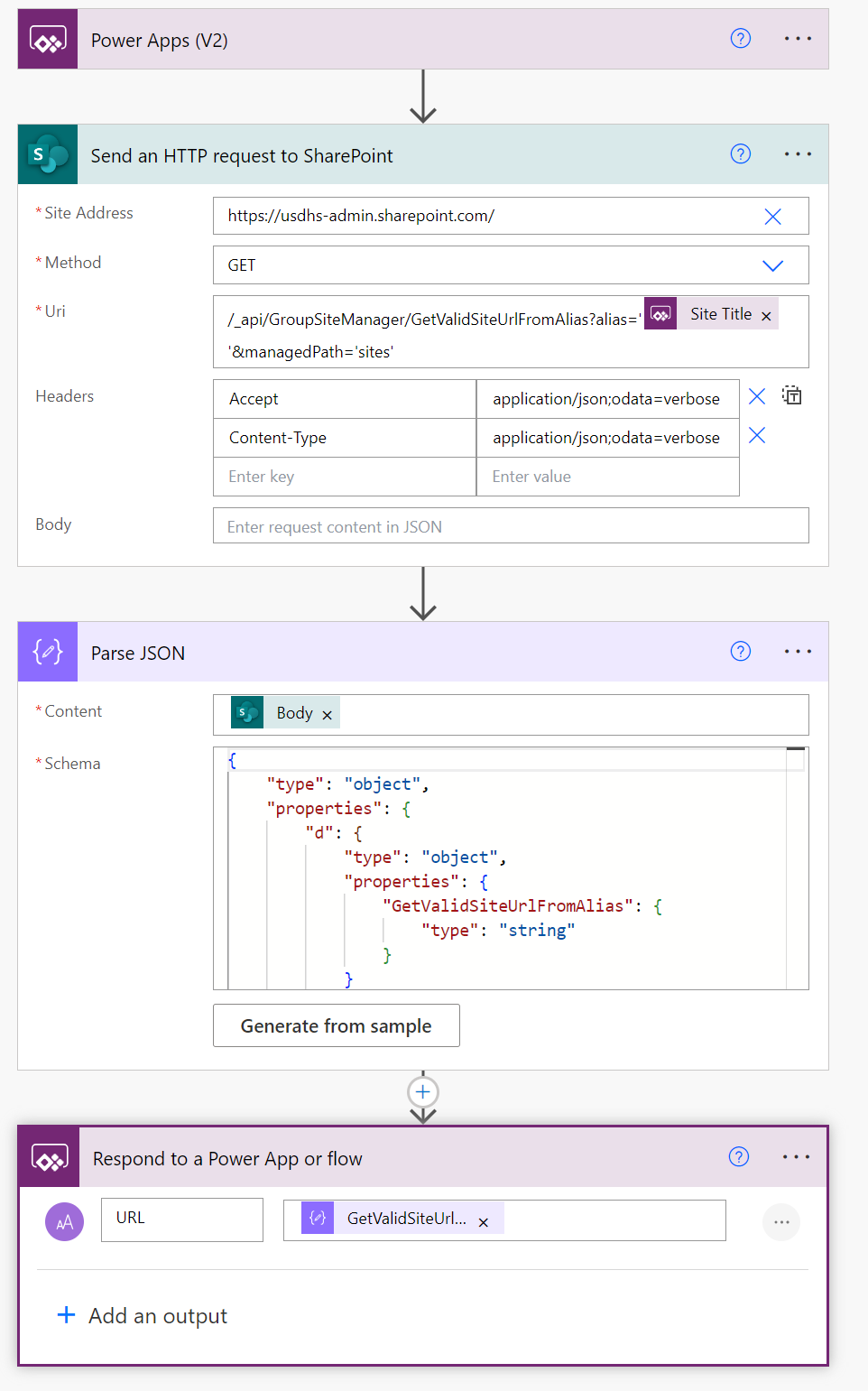
Power Automate flow that programmatically discovers and catalogs all SharePoint site URLs and names across the tenant, supporting governance inventory and orphaned-site identification.
Power AutomateSharePointInventory
🔑
Azure + Power Platform
Azure Key Vault for Power Platform GCC
Researched and documented a secure credential management strategy for Power Platform service accounts in GCC, replacing hardcoded credentials with Azure Key Vault integration to meet federal security compliance requirements.
Azure Key VaultGCCService AccountsSecurityEntra ID
The Problem
Power Automate flows in GCC environments relied on service accounts with credentials stored in plain-text connection references. This created security risks, audit failures, and operational overhead when passwords expired or rotated.
My Approach
Evaluated Azure Key Vault as a centralized secrets store for Power Platform connectors. Documented the end-to-end architecture: Entra ID app registration, Key Vault secret creation, custom connector configuration using OAuth 2.0, and environment variable binding for environment-specific secret URIs across dev/test/prod.
💰
Governance & Strategy
Premium License Optimization
Developed a systematic audit process to identify unused, incorrectly assigned, and over-provisioned Microsoft premium licenses — reducing waste and aligning license allocation with actual Power Platform usage patterns.
License ManagementCost OptimizationGovernancePower Apps per UserPower Automate
What I Did
Created a repeatable audit workflow comparing assigned licenses against actual app/flow usage via the CoE Toolkit and admin connectors. Identified license types (Power Apps per User, Power Automate per User, AI Builder) assigned to users who had no active apps or flows, and documented reassignment recommendations with cost impact analysis for leadership.
Key Deliverables
License inventory report with usage heat map, reassignment priority list, and a presentation explaining App Pass vs. per-user licensing models to help non-technical stakeholders make informed purchasing decisions.
📈
Power BI Strategy
Power BI Content Lifecycle Management
Planned and documented a structured dev → test → production deployment pipeline for Power BI content in a federal GCC environment, establishing workspace governance, dataset certification, and promotion workflows.
Power BIALMDeployment PipelinesWorkspace GovernanceGCC
The Challenge
Reports were being developed and published directly to production workspaces with no review process, version control, or rollback capability. Dataset refresh failures impacted stakeholders without early warning.
My Solution
Documented an implementation plan following Microsoft's content lifecycle management guidance: separate Dev/Test/Prod workspaces with deployment pipelines, dataset certification for trusted "single source of truth" models, sensitivity labels for data classification, and scheduled refresh monitoring with alerting.
📝
Documentation & Process
SOPs, Knowledge Base & Records Management
Built a Confluence-based knowledge base with SOPs for Power Platform administration, service account provisioning, and federal records management aligned with NARA's General Records Schedule.
SOPsKnowledge BaseConfluenceRecords MgmtNARA/GRS
What I Built
Created a centralized knowledge base in Confluence covering: service account request procedures, environment provisioning steps, connector governance policies, browser troubleshooting guides, and Power Apps coauthoring setup. Each SOP followed a consistent template with purpose, scope, prerequisites, step-by-step instructions, and review schedule.
Records Management
Aligned digital records practices with NARA's General Records Schedule (GRS), establishing retention policies and disposition workflows to ensure federal compliance for Power Platform artifacts and documentation.
Technical Skills
Power Platform
Canvas AppsModel-Driven AppsPower AutomatePower BIPower FXDataversePower PagesCoE ToolkitEnvironment Mgmt
Data & Backend
SQL Server (T-SQL)Oracle SQLStored ProceduresDatabase DesignDAXData ModelingETL / DataflowsJSON / REST APIs
Cloud & Security
Azure Key VaultGCC / GCC HighSharePoint OnlineMicrosoft TeamsDynamics 365Service AccountsEntra ID
Tools & Process
SSMSConfluenceSOP DevelopmentLicense OptimizationRecords ManagementStarRezDiebold Access Control
Professional Development
🎓
Certifications & Learning
Microsoft Learn & Continuous Development
Actively pursuing Microsoft Power Platform certifications and expanding technical skills through structured learning paths, hands-on labs, and professional training.
Microsoft LearnPower PlatformPL-SeriesOngoing
Certification Path
Targeting PL-400 (Power Platform Developer) and PL-600 (Power Platform Solution Architect) — Microsoft's advanced certification track for Power Platform professionals.
Microsoft Learn Profile
Completed Training
Microsoft Data Science Orientation (EdX/Microsoft), LinkedIn Learning certifications in Power Platform administration, DAX, data modeling, and Power Automate development. Continuous self-study in Azure integration patterns, GCC compliance, and CoE Toolkit best practices.
Areas of Focus
Solution architecture for enterprise Power Platform deployments, ALM and environment governance, Dataverse data modeling, custom connector development, and GCC/GCC High compliance patterns.